Приложете лицензен ключ
Обновено
On your own server, Artavolo runs as the free Community edition until you add a licence key. The key is a long piece of text we send you when you buy a plan. Pasting it in switches on the features of that plan, such as audit log export, scheduled encrypted backups or single sign-on, for the number of editors it names.

Поставете ключа
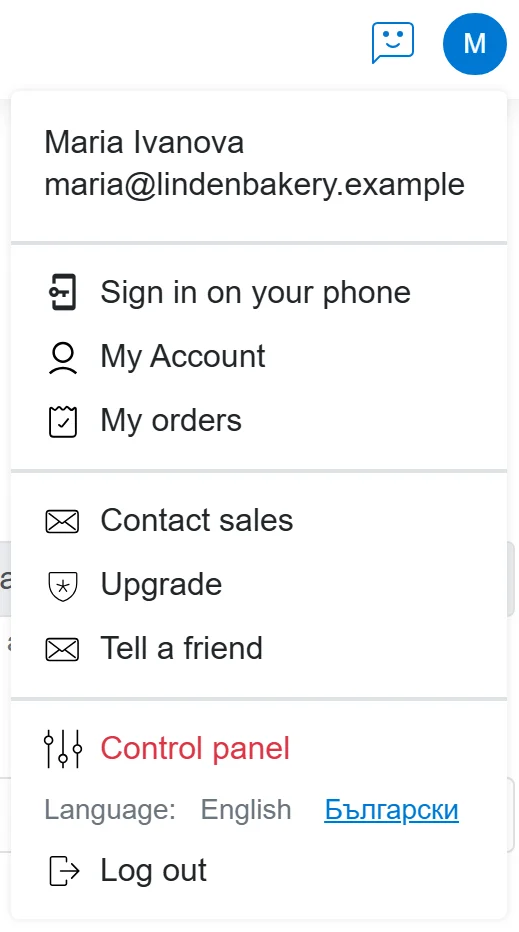
- Sign in as an administrator. Click the round button at the top right and choose Контролен панел.
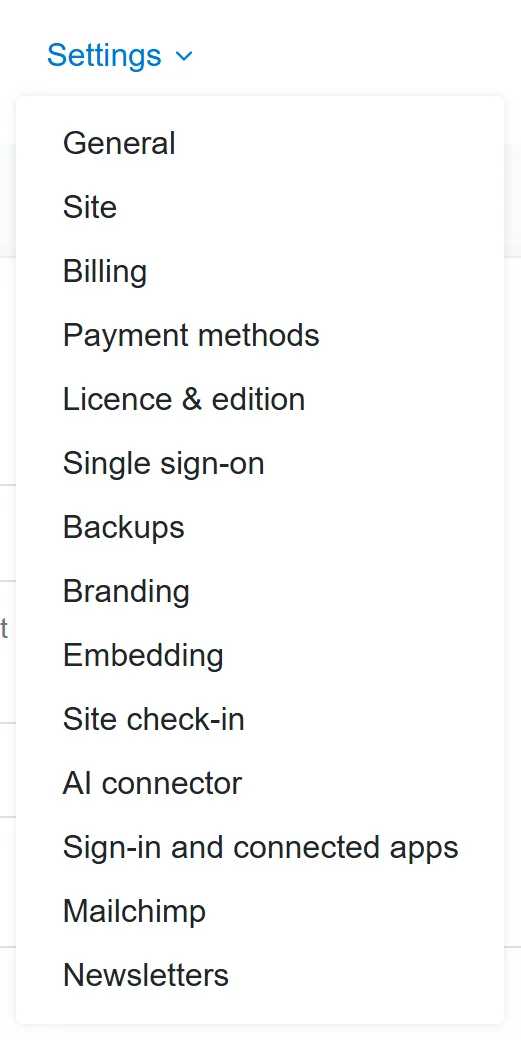
- In the Control panel's top menu, open Настройки and choose Licence & edition.
- Paste the key into the Licence key box exactly as it was sent to you, from
ARTV1.to the last character. - Click anywhere outside the box. The key is saved as soon as you leave the box; there is no separate save button.
- Презаредете страницата.
The table at the top of the page now shows the Edition, who it is Licensed to, the server it was Issued for, the number of editors it covers (Места), the features it switches on, and the date it runs to. If something is wrong, a Problem line says what.
Какво включва един ключ
Each key lists its features. As the pricing page shows with Собствен сървър chosen: Standard adds audit log export, Pro adds scheduled encrypted backups and a test instance, and Enterprise adds single sign-on. White-label adds your own name, logo, e-mail sender and webhook headers, with no "powered by" line. Everything else, from views to automations, the API and AI agents, is in the free Community edition already.
Получете ключ
On the pricing page, choose Собствен сървър and ask for a key, or write to us through the contact form. Standard and Pro cost the same per editor on your server as in our cloud, billed for the year. You pay by bank transfer against an invoice, or with a purchase order. When your team changes size, tell us and you get a new key.
Добре е да знаете
- The key is checked on your own server. Nothing is sent anywhere, so it works offline and in a closed network.
- A key is issued for your server's name, the
DOMAINвincludes/config.php, shown as Instance name on the same page. If the page reports a problem, check that the names match. - When a key runs out, nothing breaks and nobody is locked out. After a grace period (30 days unless the key says otherwise) the paid features switch off and the installation carries on as the Community edition, with every record in place. Paste a new key and they come back.
- A perpetual key never runs out: its date marks the end of updates and support, not of use, and the page says so.
- Single sign-on and scheduled backups can be set up before a key is in place. They start working once it is.
- В нашия облак няма ключ: плановете се купуват за работно пространство. Вижте Надграждане, понижаване или отказ от план.