Поискайте възстановяване на сумата
Обновено
Were you charged by mistake, did you upgrade the wrong workspace, or did Artavolo not do what you paid for? Write to support and ask for your money back. A person reads every request and answers by e-mail.
Преди да пишете
- Only want to stop paying from now on? Cancel the plan instead. See Преминаване към по-висок или по-нисък план или отказ от план. Cancelling stops the next payment, but does not by itself pay anything back.
- Paid for too many editors or the wrong plan? You can correct that yourself on the workspace's billing page, under Manage billing: people, plan, card, invoices. Stripe takes the difference off your next invoice.
Поискайте възстановяване на сумата
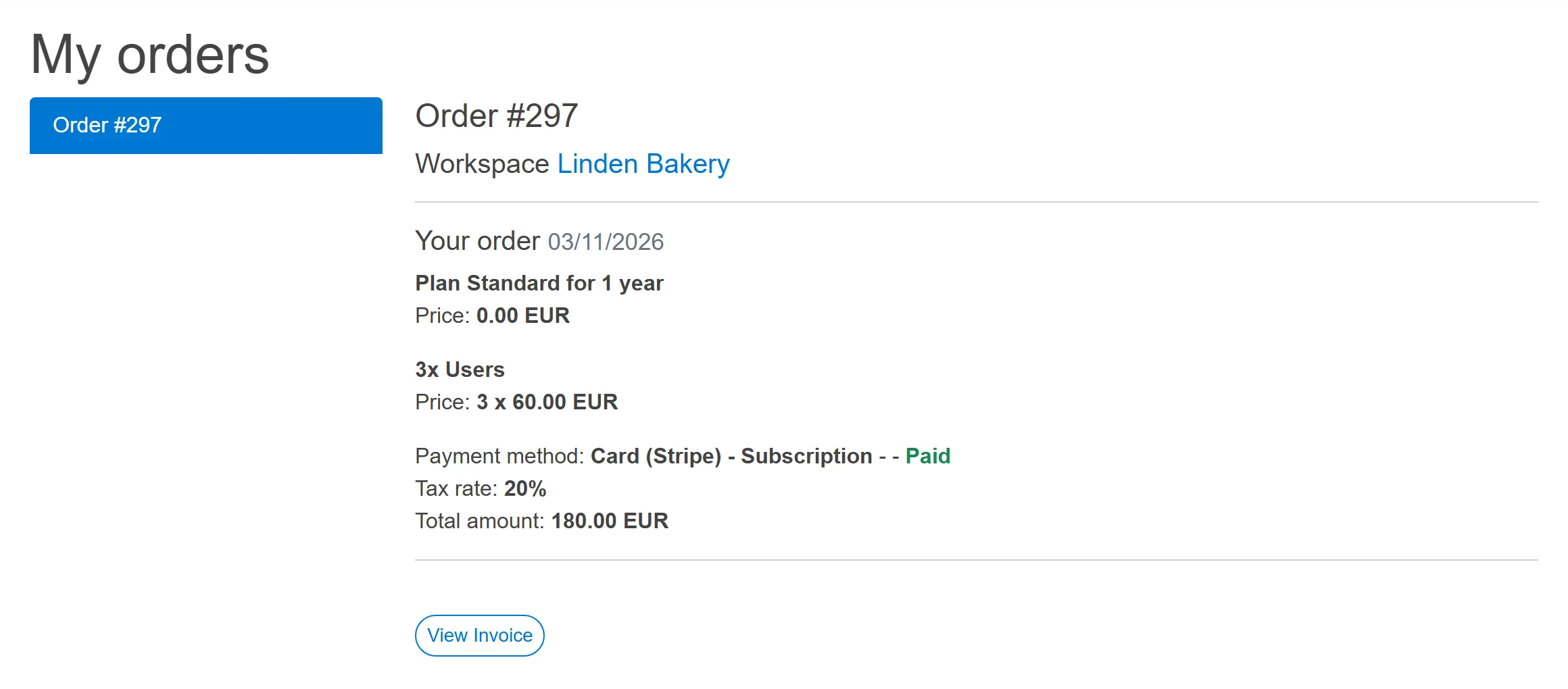
- Find the payment. Click the round button with your initial at the top right and choose Моите поръчки. Pick the order on the left; View Invoice shows its invoice.
- Find the support address. Click Помощ at the top of the page; the address is under Пишете на поддръжката.
- Write from the e-mail address of the account that paid. Give the workspace's name, the order number from My orders, and one or two sentences about what went wrong.
If the refund is agreed, the money goes back the way you paid: to your card or wallet through Stripe, or by bank transfer if you paid an invoice that way.
Добре е да знаете
- Only a workspace's owner can change or cancel its plan, so a request about a workspace you do not own should come from its owner.
- A paid plan is paid from the first day; there is no free trial month to cancel in. The Free plan never charges anything.
- За лицензен ключ за собствен сървър пишете ни през формуляра за контакт и посочете фактурата.
- Deleting your account does not ask for a refund by itself. See Изтрийте акаунта си.