Добавете AI агенти, които работят върху вашите таблици
Обновено
An AI agent is a helper program, or an AI assistant such as Claude or ChatGPT, that works in your tables like a colleague: it has its own name and its own key, and sees only the bases you allow. Use one when a program should update records for you, while you keep the last word: with review on, nothing it changes is written until you accept it.
Step 1: Make an agent
A workspace owner makes and manages agents.
- Отворете база и натиснете Настройки горе вдясно.
- In the list on the left, click AI агенти.
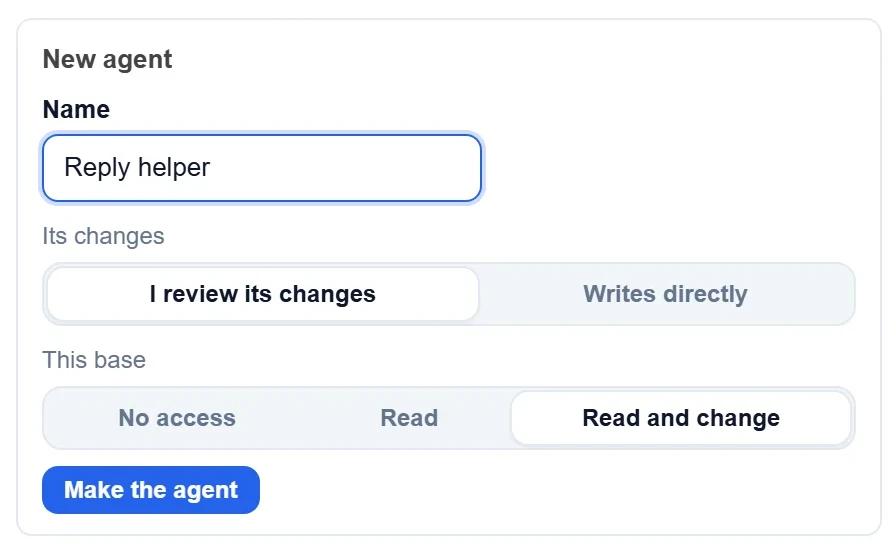
- Under New agent, type a Име, such as Reply helper.
- Under Its changes, leave I review its changes picked, or choose Writes directly if you trust it to change records without you.
- Под Тази база изберете Четене или Четене и промяна.
- Натиснете Създай агента.
Step 2: Copy its key
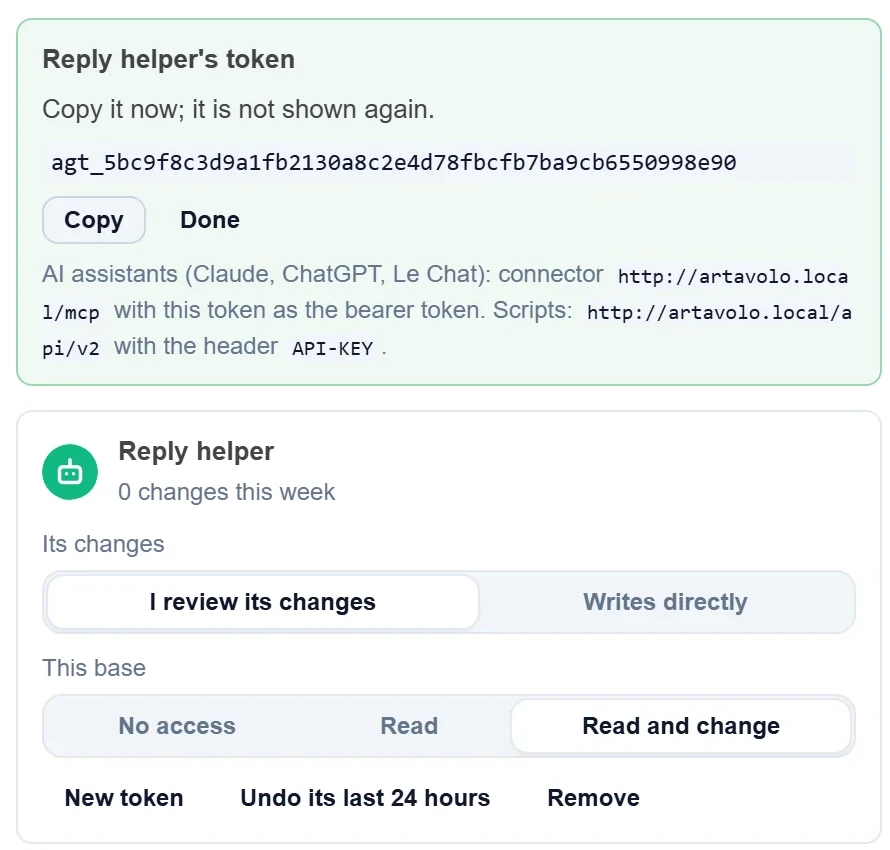
The agent's key is called a token. It is like a password that lets the program into your base as that agent.
- Click Копирай next to the token and keep it somewhere safe. It is shown only this once.
- Click Готово.
- Give the token to the program. The box says where: an AI assistant uses the connector address ending in
/mcp, with the token as its bearer token; a script uses the address ending in/api/v2, with the token in theAPI-KEYheader.
Пълното описание с примери е в ръководството за AI агентите.
Step 3: Review what it proposes
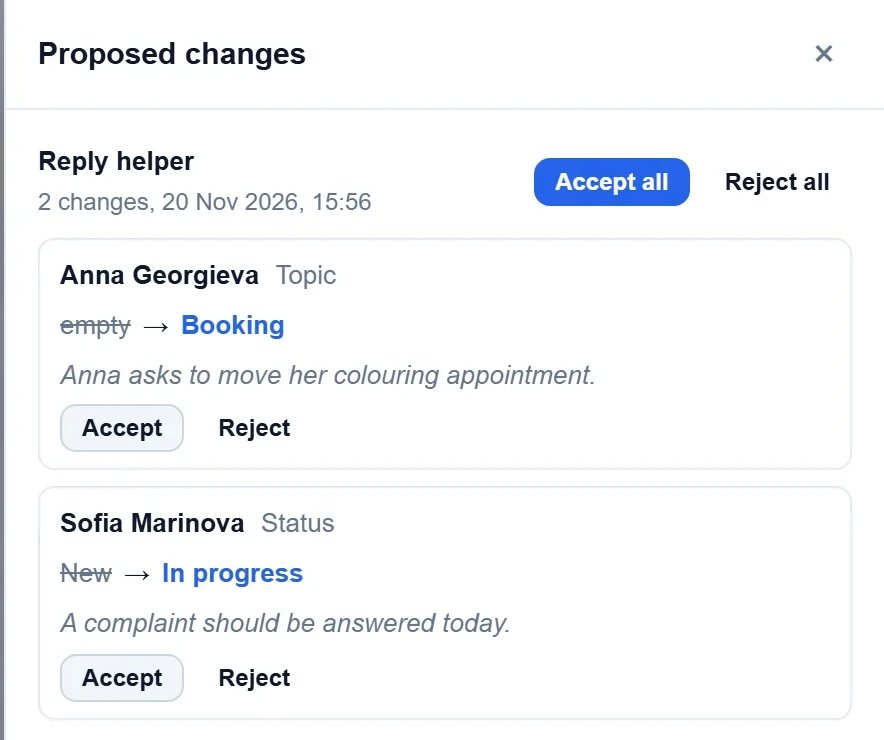
When an agent with review on changes a record, a line appears over the table saying how many changes it proposes.

- Click Отзив. The Proposed changes panel opens beside the table.
- For each change, read the record, the field, the value now (struck through), the new value and the agent's reason.
- Click Приемане or Reject, или Accept all or Reject all for the whole batch.
An accepted change is written as your edit, and the record's history names both of you, for example "Reply helper, accepted by Mira".
Отменете това, което е записал агентът
- Отворен Настройки, then AI агенти, and find the agent.
- Click Undo its last 24 hours and confirm.
Records it changed get their old values back, records it added go to the trash, and records it deleted come back.
Добре е да знаете
- An agent follows the same rules as a person: tables hidden from it stay hidden, and rules on who sees which records apply to it too.
- With review on, new records are added at once and deleted records go to the trash, where they can be restored. Only changes to existing records wait for review.
- If someone changed a cell after the agent looked at it, its proposal for that cell is out of date and nothing is written.
- Хората, които могат да променят таблицата, приемат или отхвърлят предложенията. Хората, които могат само да четат, гостите и агентите не могат.
- Undo leaves alone a cell someone changed after the agent, and changes a person accepted: those are that person's edits.
- Each agent's card shows its changes this week and the share of its proposals that were accepted.
- New token makes a new token and stops the old one. Премахни ends the agent's token and access and rejects its proposals nobody decided on; what it already changed stays, credited to it.
- Чрез API собствениците могат да отменят до 30 дни работа на агента.