Read and export the audit log
Updated
The audit log answers the question an auditor asks: who changed this record, when, how, from which address, and what it said before. Base owners read their base's entries in the base itself; administrators of your own server read and export everything.
What is recorded
- Sign-ins, failed sign-ins and new accounts, with the method used.
- Records added, changed and deleted, and single cell edits, with the values before and after.
- Tables, fields, views and bases created, changed and removed, and imports.
- Permissions, invitations, API tokens, backups, settings and members.
- Changes made through the API, AI chat, AI agents and embedded views, each credited to the person, agent or app that made them.
Each entry has the time, the person and their e-mail address, the IP address and sign-in method, and the workspace, base, table and record it concerns.
Read it in a base
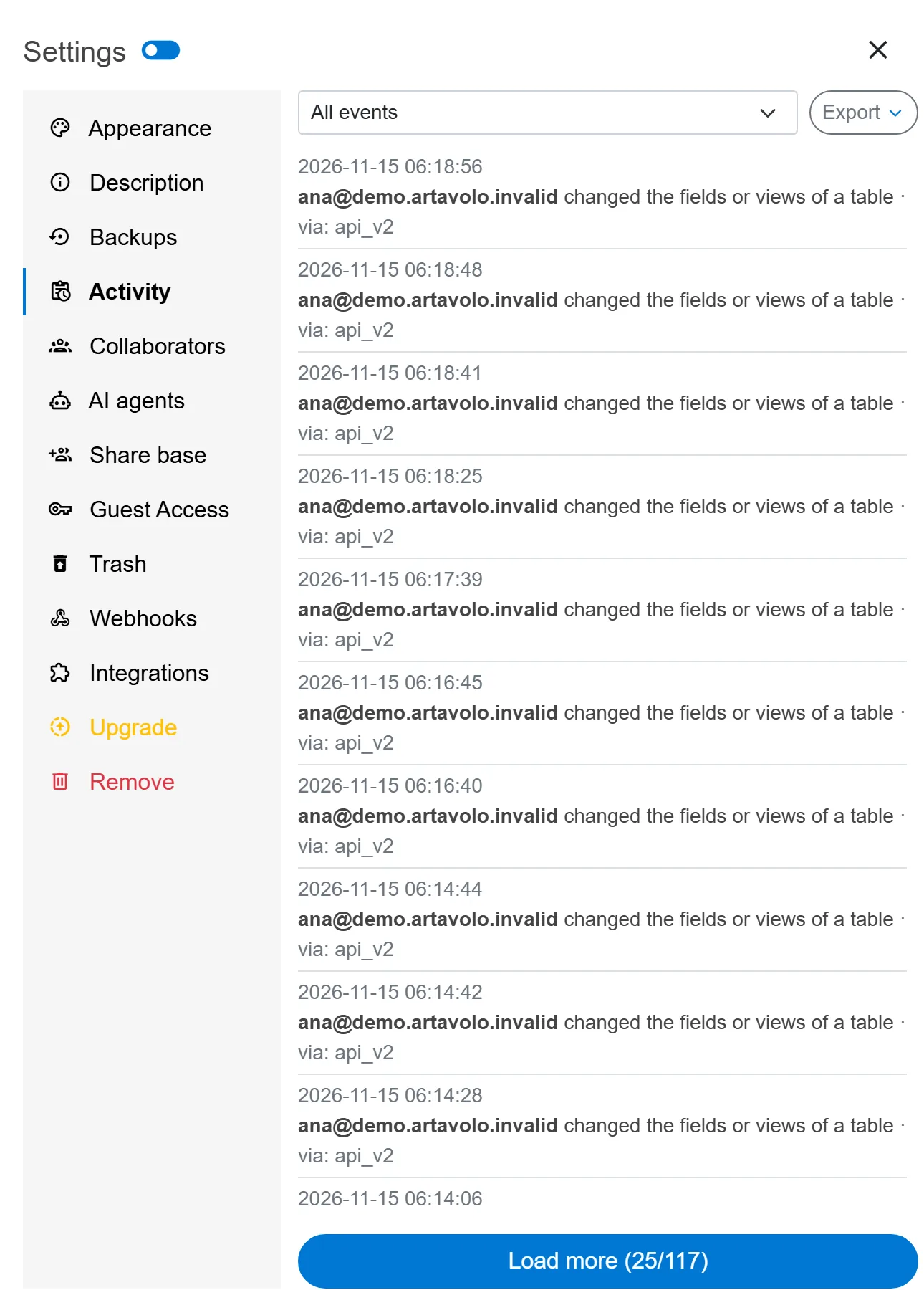
- Open the base and press Settings at the top right.
- Choose Activity.
- Pick a kind of event in the list at the top, or keep All events, and press Load more to go further back.
- To keep a copy, press Export and choose CSV or JSON.
Read it for the whole instance
On your own server, an administrator chooses Control panel in the account menu, then Manage, Audit log. Filter by Event, Actor e-mail, dates (From and To), Workspace id and Base id, then press Export CSV or Export JSON.
Keep it as long as you need
In the administration, Settings, General, set Keep audit log entries for (days). 0 keeps everything. Older entries are removed once a day by the cron job, and that removal is itself recorded. Values stored with audit entries chooses between Full before/after values, Changed fields only and No values (who, what, when only), if your policy limits what may be kept.
Good to know
- The log is append-only: the application has no way to edit or delete an entry. Exporting it is recorded too.
- Base owners see every event on their base. Other members see only the base's general activity messages.
- On your own server, exporting needs a licence key that includes audit log export (Standard and up). See Apply a licence key.
- One record's last 200 changes can also be read through the API, which is how the record history in a base is built.
- Changes made by an AI agent can be undone from the values the log keeps. See AI agents.