Пазете бележки до данните си
Обновено
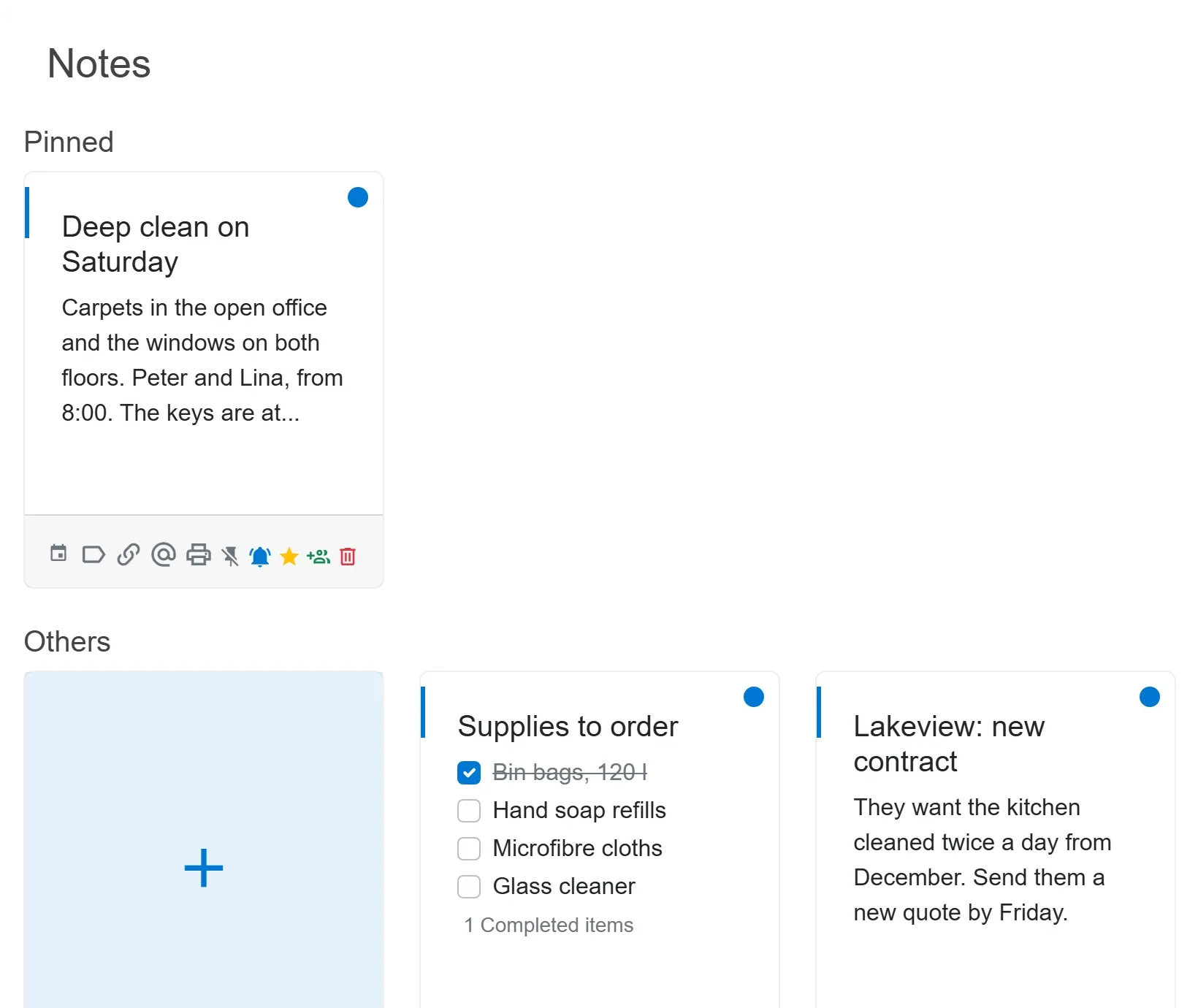
Notes are the base's notebook: meeting notes, a plan for Saturday, a shopping list for supplies. They sit next to the data they are about, so your team finds them in one place instead of in another app.
Отваряне на бележките
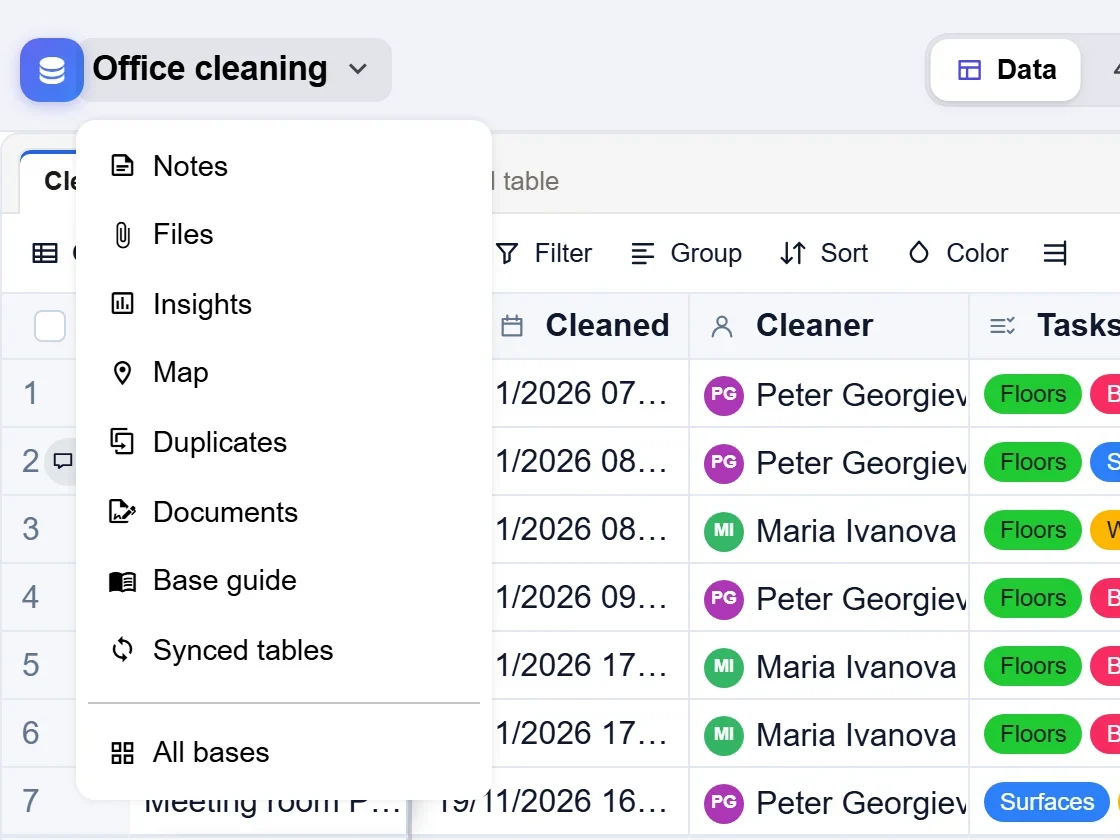
Click the base's name at the top left and choose Бележки.
Pinned notes come first, under Закачени, and the rest under Други.
Писане на бележка
- Point at the large + card. Two small buttons appear: the pencil (Write text) for a written note, and the ticked boxes (Create list) for a checklist.
- Click the pencil next to New note at the top and type a title.
- Write the note. The bar above the text has bold, headings, lists, quotes, alignment and links.
- Click Добави.
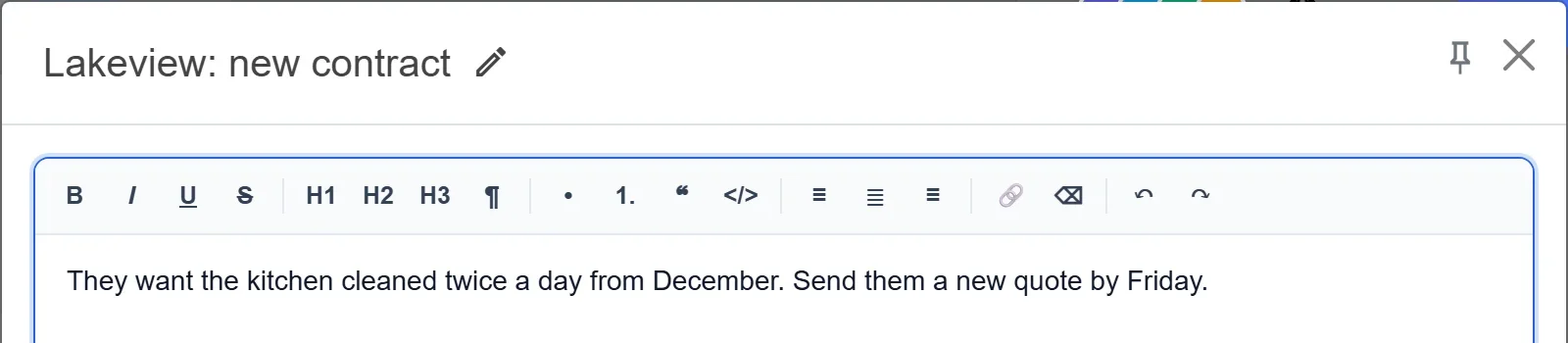
To change a note later, click it, edit it and click Save & Close. In a checklist, tick an item when it is done: it is crossed out and counted under Completed items.
Use the buttons under a note
Each note has a row of small buttons at the bottom. Point at one to see its name.

- Edit Labels (the label): give the note coloured labels. The Label manager adds, renames, recolours and removes them.
- Copy Link (the chain): copy a link that opens the note.
- Send E-mail (the @) and Print (the printer).
- Pin (the pin): keep the note at the top.
- Reminder (the bell): under Select time to remind, pick a date and time, tick the people under Select which members to notify, and click Запази. At that time they get a notification.
- Star: mark the notes that matter.
- Assign contributors (the person with a plus): each person you tick gets a notification.
- Премахни (the bin): delete the note.
Find a note
Click Филтри at the top right to show notes with or without a star, by label, by person or by colour. Untick Latest first to see the oldest first. Reset filters shows them all again.
Добре е да знаете
- Contributors and owners can open the notes and write them. The buttons under each note are for the base's owners.
- Гостите виждат бележките само ако Разреши на гостите да виждат бележките на базата е включено в настройките за достъп на гости на базата.
- A plan can limit how many notes a base holds. When the limit is reached, the + card says so.
- Напомнянията се изпращат от планираната задача на сървъра, затова при инсталация на собствен сървър тя трябва да работи.
- To talk about a single record, comment on the record instead: see Коментирайте записи и споменавайте хора.