Работа с Канбан дъска
Обновено
A Kanban board shows each record as a card, in columns such as За правене, В процес и Готово. You see at a glance where everything stands, and moving a card to another column changes its status. It suits tasks, orders, job applicants and anything else that moves through steps.
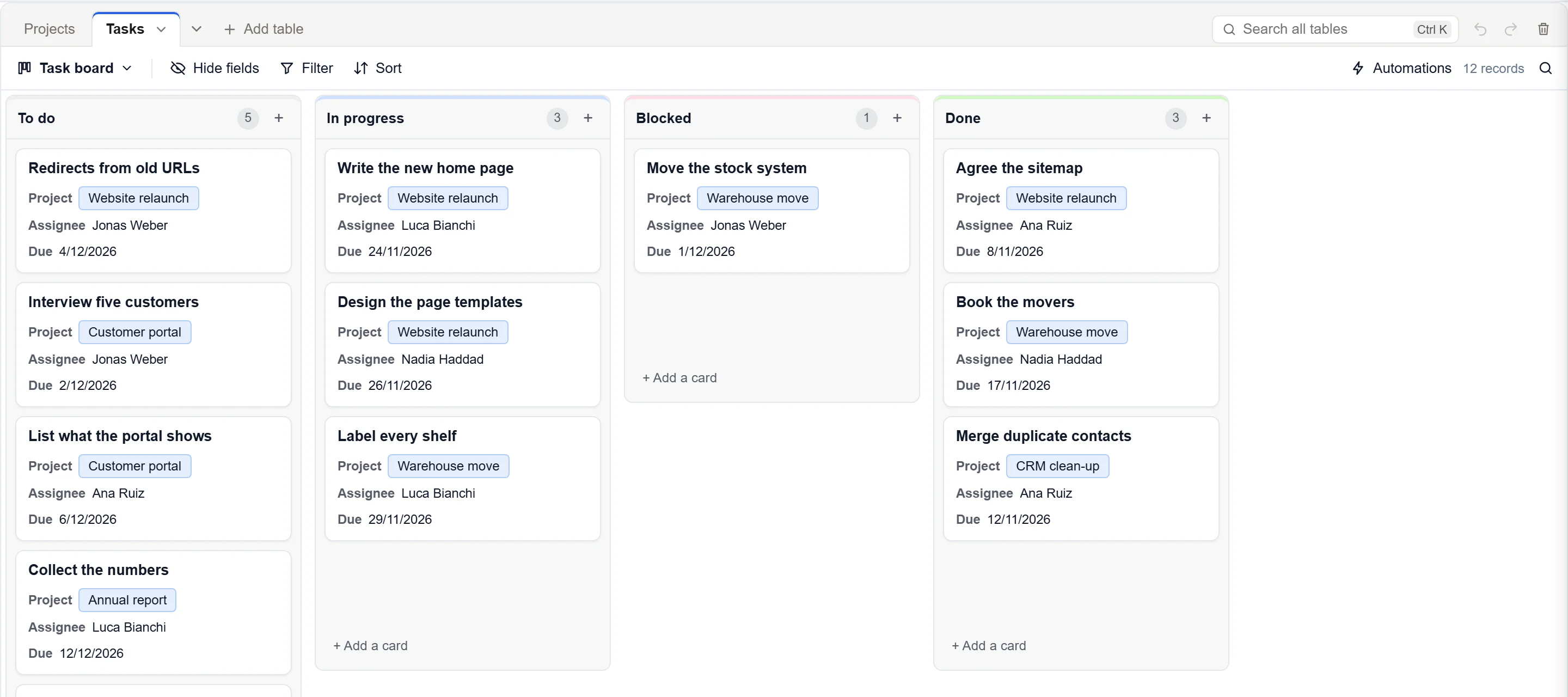
Създайте дъска
- Click the view's name at the left of the bar above the records to open the views menu.
- Under Create, click Канбан.
- Type a Име. Under Stack records by, pick the field whose values become the columns, such as Status.
- Click Create view.
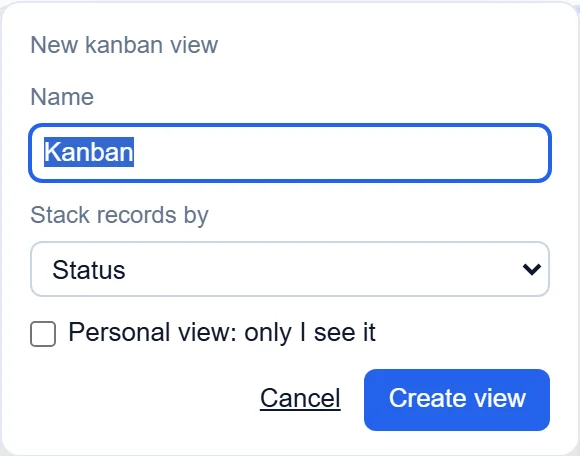
The columns come from a single select field (one choice from a list), or a person field that holds one person. If the table has neither, Канбан is greyed out.
Работа с дъската
- Drag a card to another column to change its value, for example from В процес to Готово.
- Click + Add a card at the bottom of a column, or the + in its heading, to add a record that is already in that column.
- Click a card to open the record.
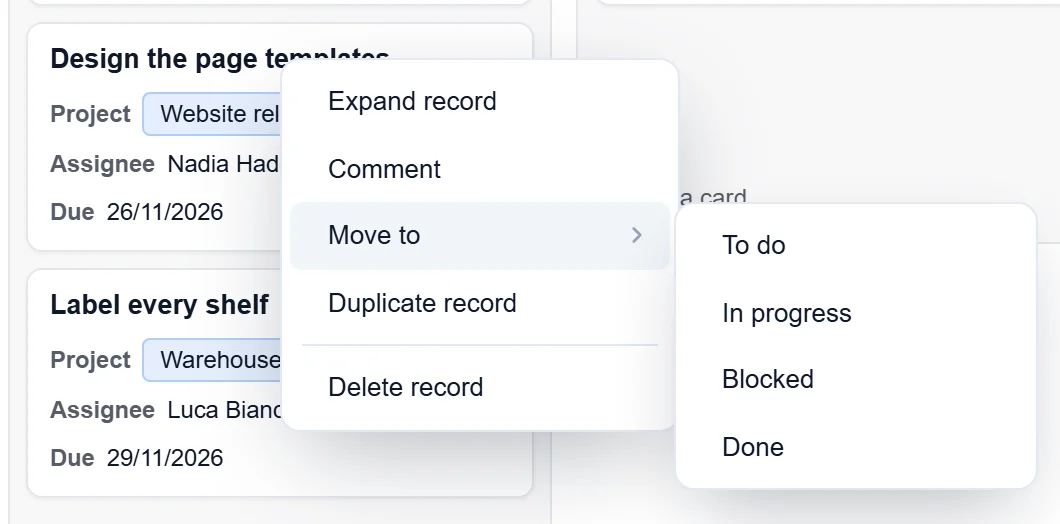
- Right-click a card for Expand record, Коментар, Move to (pick another column), Duplicate record и Delete record.
Choose what the cards show
A card shows the record's name, then the next three fields of the view. To choose them, click Hide fields in the bar and switch fields on or off, or drag them into another order. Filter и Sort work as in a grid and apply to every column. The number in a column's heading is how many cards it has.
Keep cards in your own order
When you drag a card up or down inside its column, the new place is kept only if the view is sorted by a number field (such as a number, rating, currency or percent). Otherwise each column follows the view's sort.
На телефон
One column fills the screen, and the next is a swipe away. A row of buttons above the board names each column with its number of cards: tap one to jump to it. Add a record with the round + in the corner.
Добре е да знаете
- Records with no value sit in an Uncategorized column, which shows only when it has cards.
- To add or rename a column, change the options of the field the board is stacked by.
- People who may not change that field cannot move cards, and people who may only read cannot add them.