Поле за прикачени файлове: изображения и файлове
Обновено
An Attachment field keeps files with each record: product photos, a signed contract, a drawing, an invoice. Pictures show as small thumbnails in the table, and a Gallery view can use the first picture as each card's cover.
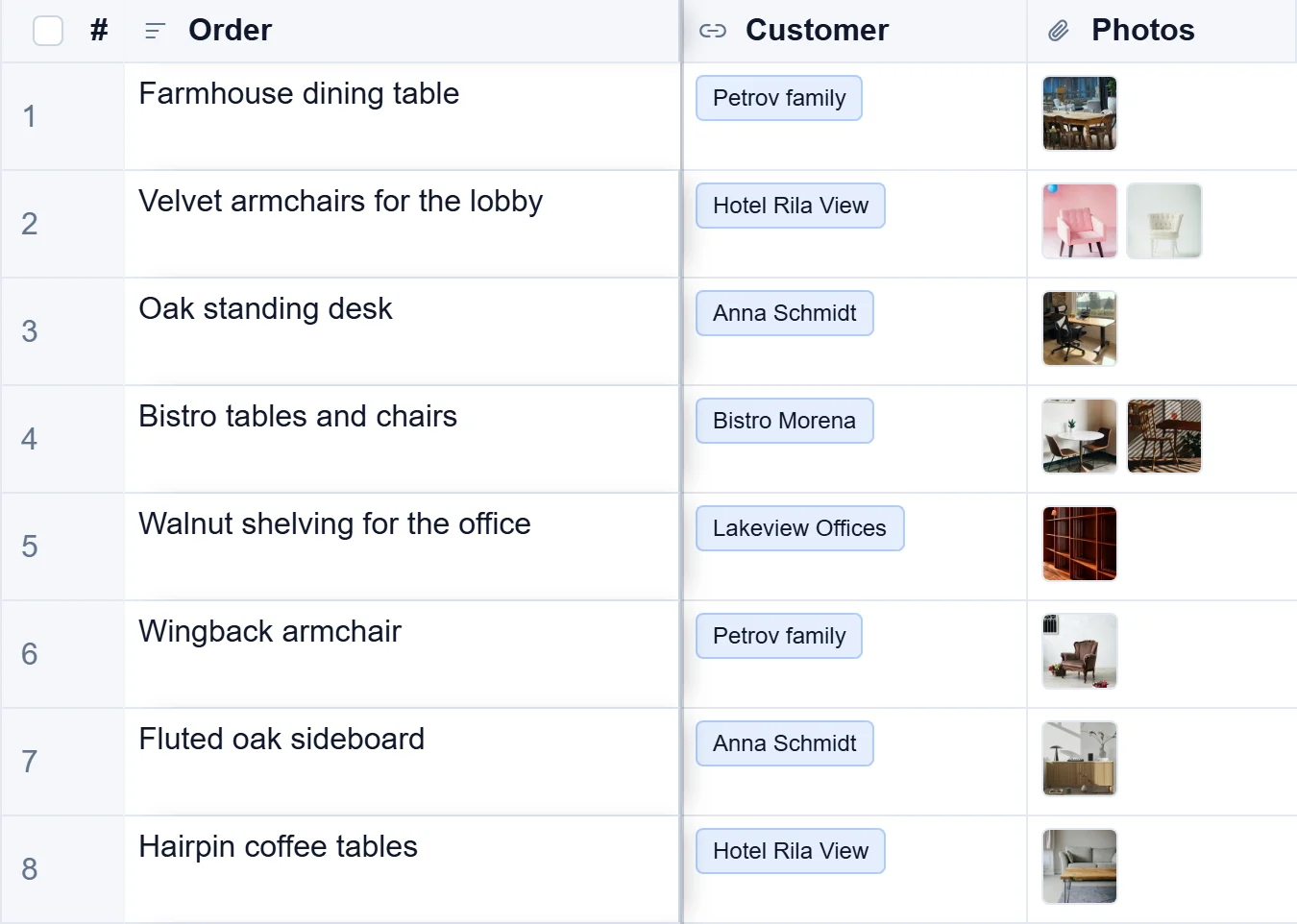
Добавете поле Прикачен файл
- Press the + at the right end of the column names.
- Type a Име, such as Снимки, and choose Attachment under Field type.
- Under Accepted types, list the kinds of file allowed, such as
image/*,.pdffor pictures and PDFs. Leave it empty to accept any file. - Задайте Най-много файлове в клетка: един за профилна снимка, повече за набор от снимки на продукт. Започва от 20.
- Натиснете Създай поле.
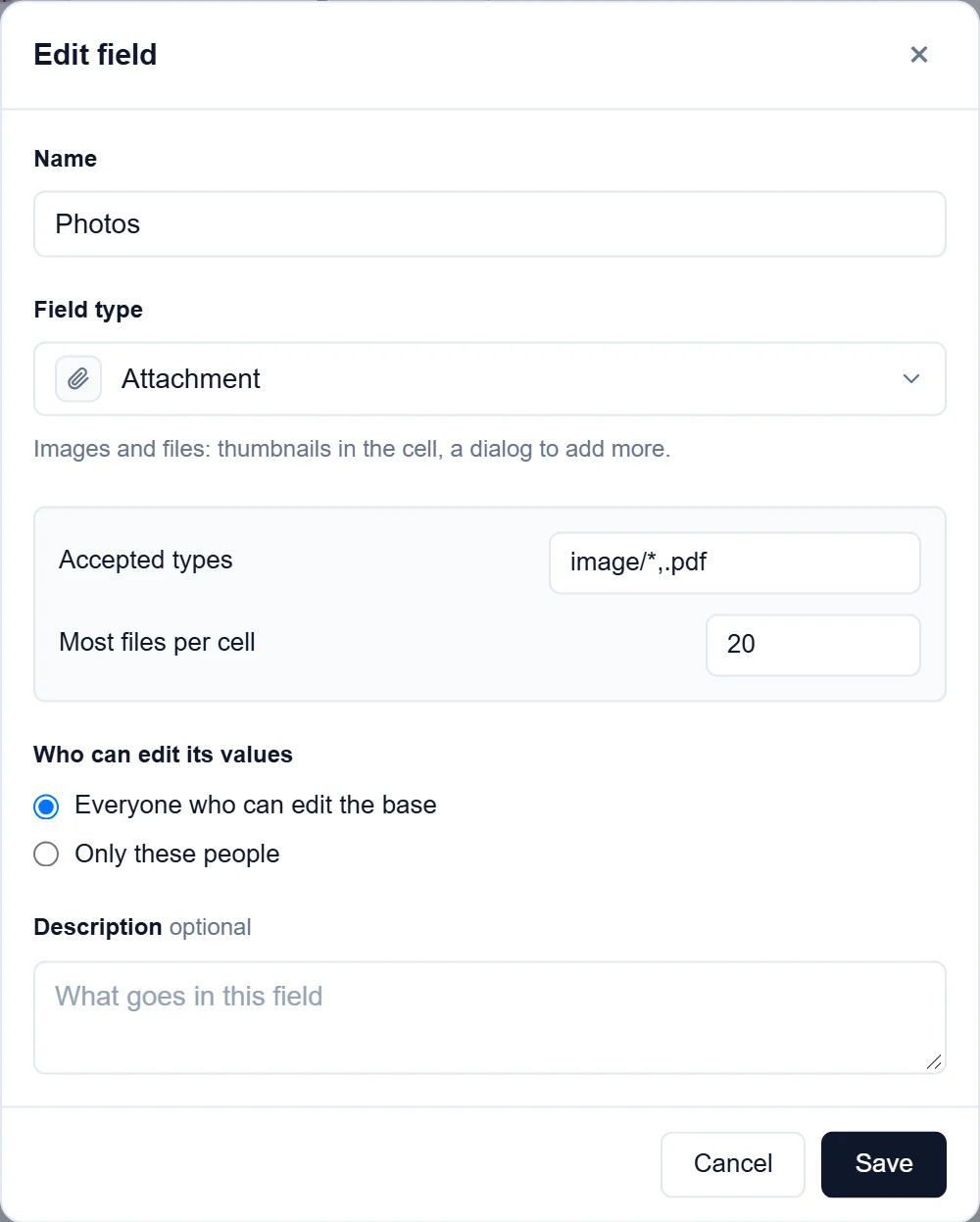
Прикачете файлове
- Double-click the cell. A window with the record's files opens.
- Press Add files and choose files from your computer, or drop them on the window, or paste them. To add a file from the web, paste its address in or paste a URL.
- Натиснете Готово.
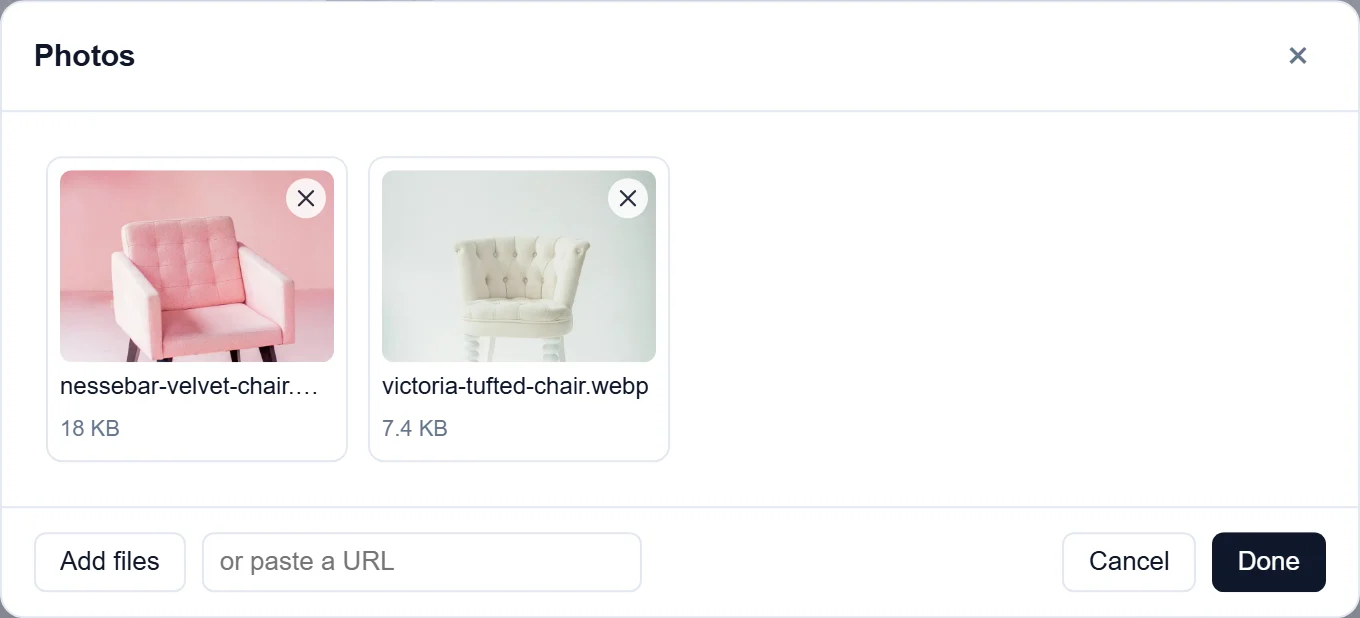
To remove a file, press the × on its picture in the same window. Click a picture to see it full size; Previous и Напред move between the record's files.
Keep files in Google Drive, Dropbox or OneDrive
Files can stay where they are and be added by their link. They then take none of your workspace's storage.
- В Google Drive (или Dropbox, или OneDrive) споделете файла с Всеки с връзката и копирайте връзката.
- Double-click the Attachment cell and paste the link in or paste a URL.
Картина от Google Drive или Dropbox се показва като миниатюра като качената и се отваря в Drive или Dropbox.
Снимайте с телефон
On a phone or tablet, the files window of a field that accepts pictures also has Take a photo. It opens the camera, and the photo goes straight into the record. Photos are made smaller before they are sent, so they upload quickly on a mobile connection and stay sharp enough to read. See Take photos and scan barcodes.
Добре е да знаете
- A file can be up to 25 MB. Files count towards your workspace's storage: 20GB on Standard and 100GB on Pro. The Free plan does not store files, but files added by a link work on every plan.
- Файловете се пазят заедно с базата и само хората, които могат да виждат записа, могат да ги отварят.
- Само собствениците на базата добавят полета или променят опциите им. Всеки, който може да редактира записи, добавя и премахва файлове.
- For files that belong to the whole base rather than one record, owners have the base's Файлове page in the menu under the base's name.
- Формулярът също може да иска файлове. Вижте Формуляри.
- От Airtable полетата за прикачени файлове пристигат с копирани файлове.