From brief to approved asset, with every round in one place
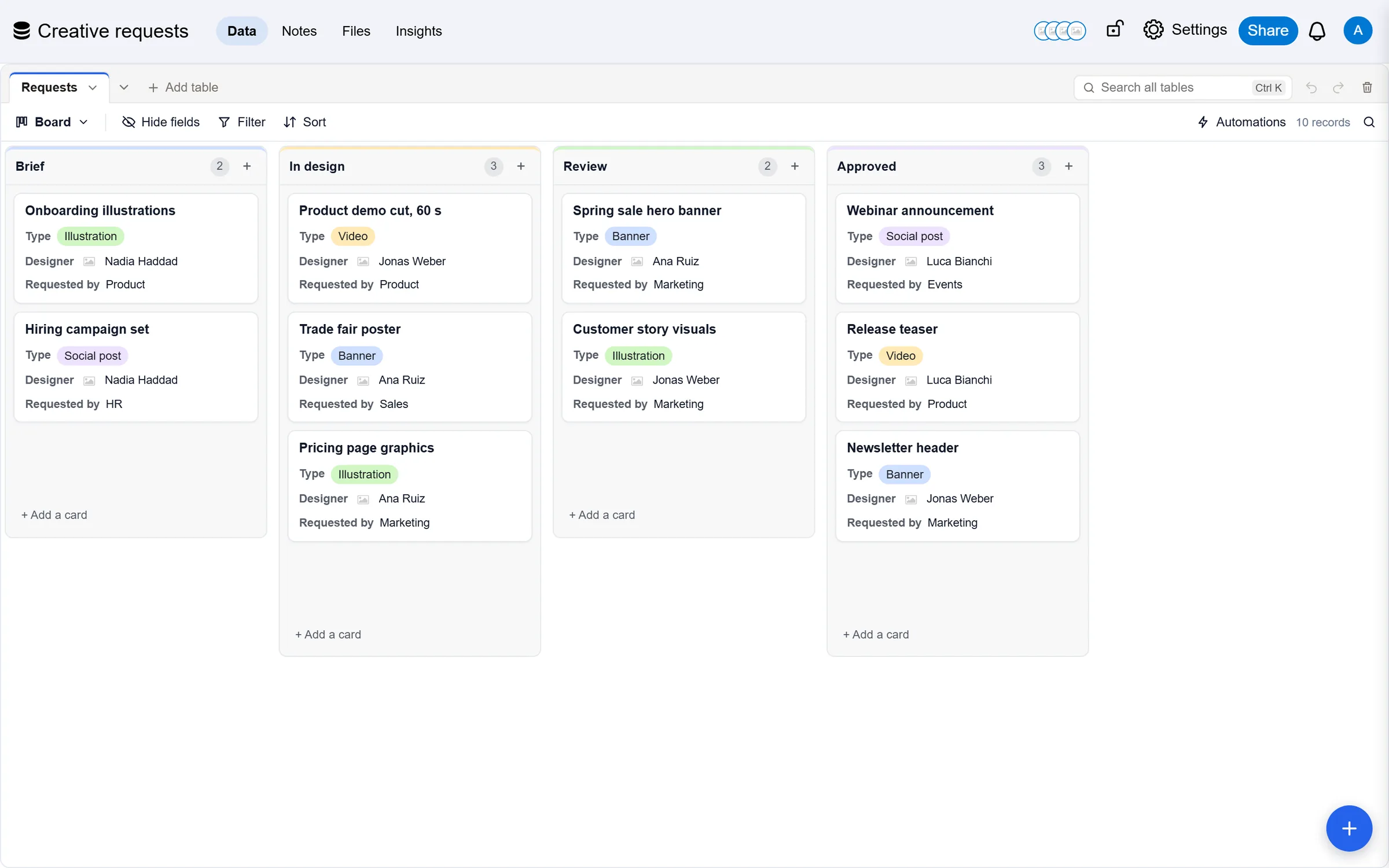
Creative requests come in with their brief, move through design and review, and leave approved, with the channel, the designer and the number of rounds on record.
Less busywork, more of the work itself
Briefs that arrive complete
A request form with the fields you need, so nobody starts from a chat message.
Reviews you can see
A board from brief to approved, so a waiting review is visible to everyone.
Files on the record
Drafts and finals attached to the request they belong to, kept in your storage.
How Design and creative teams use it
Every request with its brief
- Asset, type, status, designer, requester, due date and channels
- Group by designer to balance the load
- Count rounds to see where reviews stall

Brief, design, review, approved
- A board by status, cards dragged as work moves
- Designer and due date on every card
- Personal views for each designer
Due dates in one calendar
- Requests on a calendar by due date
- See launch weeks before they arrive
- Share a read-only link with the requesting team

Feedback where the work is
- Open a request with Space: fields, history, comments
- Mention the requester for feedback
- Every round in the history

Agents that do the busywork, and ask first
Each runs as an agent with its own name and access. With review on, nothing it changes is written until a person accepts it.
Check briefs
Proposes the missing fields for an incomplete brief before design starts.
Balance the load
Proposes a designer for each new request from who has the fewest open.
Status in chat
Answers "what is waiting for my review" in your AI chat.
Start from a base that already works
Ready-made bases for design and creative teams, with their tables, fields and views set up. Change anything; it is yours from the first minute.
See the templatesWhat design and creative teams ask us
Give your design and creative teams a base that keeps up
Start free, or bring the base you already have in Airtable.