Keyboard shortcuts
Updated
If you know Excel or Google Sheets, you already know most of these: the grid of a table answers the same keys. You never need them, since everything can be done with the mouse, but they save time once you use a table every day. On a Mac, press Cmd where this page says Ctrl.
The five to learn first
- Enter: start editing the cell. Press it again to keep your change.
- Escape: drop the change you are typing.
- Space: open the whole record, with its comments and history.
- Ctrl+Z: undo the last change.
- Ctrl+F: find something in the table you are looking at.
Move around
- Arrow keys: the next cell up, down, left or right.
- Tab and Shift+Tab: the next and the previous cell along the row.
- Ctrl+Arrow: jump to the edge of the data.
- Home and End: the first and last cell of the row. Ctrl+Home: the first cell of the table. Ctrl+End: the last cell with a value.
- Page Up and Page Down: a screen at a time.
Select
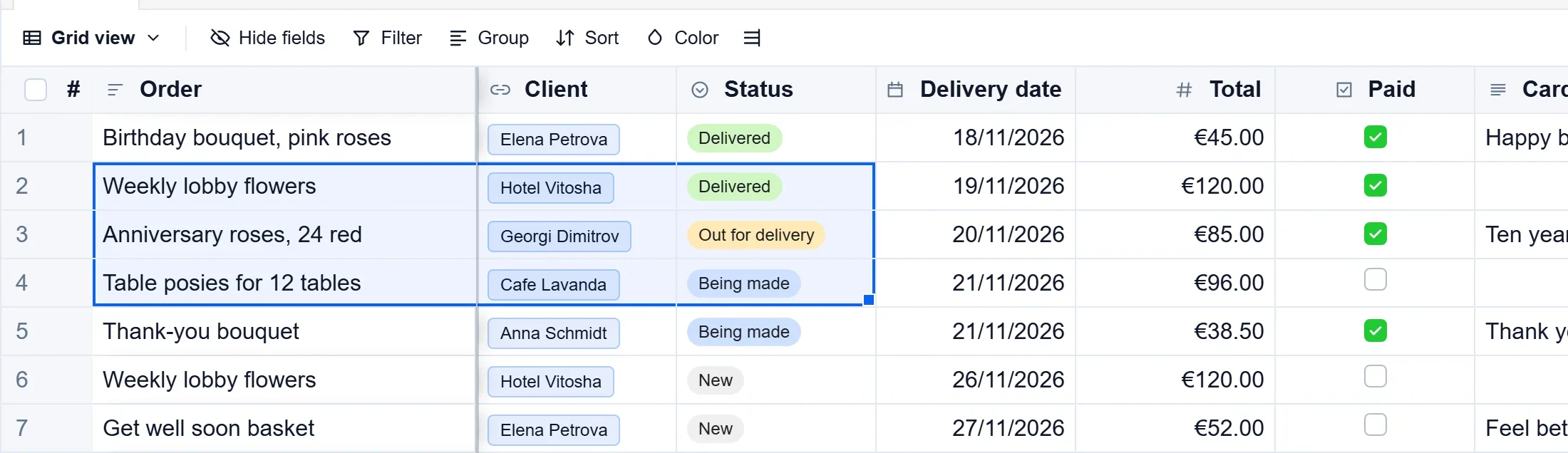
- Shift+Arrow: grow the selection one cell at a time. Shift+click: select everything from the current cell to the one you click.
- Ctrl+Shift+Arrow: grow the selection to the edge of the data.
- Shift+Space: select the whole rows. Ctrl+Space: select the whole columns.
- Ctrl+A: the block of data around the current cell; press it again for everything.
Edit
- Enter or F2: edit the cell. Just typing starts editing too, and replaces what is there.
- While editing: Enter keeps the change and goes to the cell below, Tab keeps it and goes right, Escape drops it.
- In a long text cell, Enter starts a new line and Ctrl+Enter saves.
- Space or Enter on a tick box: tick or untick it.
- Delete or Backspace: empty the selected cells.
- Ctrl+C, Ctrl+X, Ctrl+V: copy, cut and paste cells, also to and from a spreadsheet. A paste that runs past the last row offers to add new records, and one with more columns than the table offers to add the fields.
- Alt+=: show the sum of a number field under the last record, as AutoSum does in Excel.
- Ctrl+D: fill the selection down with the value at its top. Ctrl+R: fill it to the right.
- Ctrl+;: type today's date. Ctrl+Shift+;: type the current time.
- Ctrl+Z: undo. Ctrl+Y or Ctrl+Shift+Z: redo. The curved arrows at the right of the tab bar do the same.
Records
- Space: open the record of the current cell, with its comments and history.
- Shift+F10, the menu key, or a right-click: the menu of the cell and its record.
Find things
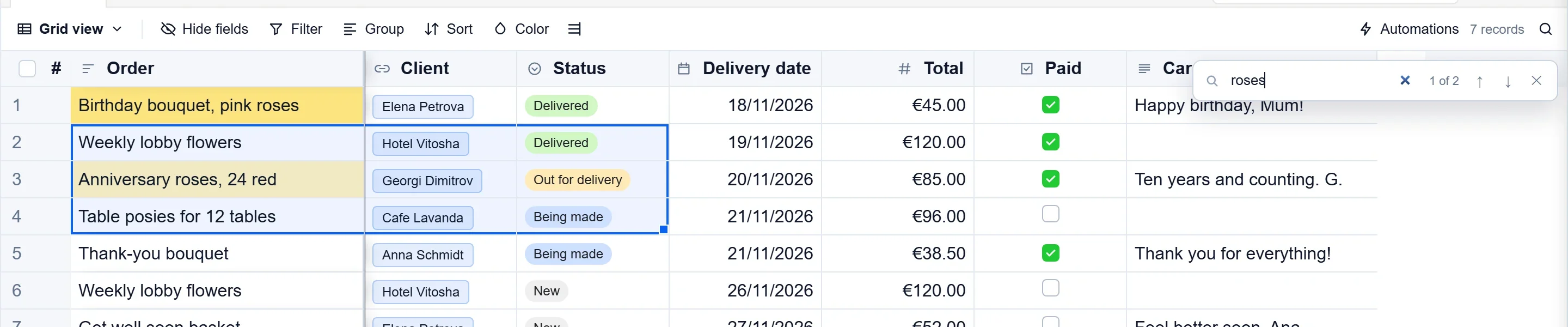
- Ctrl+F: find in the view. Every match is marked and the box counts them; Enter and Shift+Enter step through them, Escape closes the box.
- Ctrl+K: search every table of the base. / does the same when you are not in the grid or typing.
- ?: open How Artavolo works, the base's help panel, when you are not typing in a cell or a box.
Good to know
- The keys work in a table's grid on a computer. On a phone or tablet without a keyboard, tap a cell to select it and tap it again to edit.
- Read-only members can move, select, copy and search, but keys that change records do nothing for them.
- If someone else has changed a cell since your edit, undo keeps their value and tells you so.