Add AI agents that work on your tables
Updated
An AI agent is a program or an AI assistant that works on your tables like a colleague: it has its own name, its own token and only the access you give it, and everything it changes is credited to it. With review on, nothing it changes is written until a person accepts it.
Make an agent
Workspace owners make and manage agents.
- Open a base and click Settings at the top right.
- Choose AI agents.
- Under New agent, give it a Name, such as "Invoice bot".
- Under Its changes, choose I review its changes or Writes directly. A new agent is reviewed unless you change this.
- Under This base, choose Read or Read and change.
- Click Make the agent.
- Copy its token with Copy and keep it like a password. It is shown only once.
Connect it
The token works wherever an API token does:
- AI assistants such as Claude, ChatGPT or Le Chat: the AI connector at
/mcpon your Artavolo address, with the token as the bearer token. - Scripts: the data API at
/api/v2, with the token in theAPI-KEYheader, or the Airtable-compatible API at/v0.
The full reference, with examples, is in the AI agents guide.
Review what an agent proposes
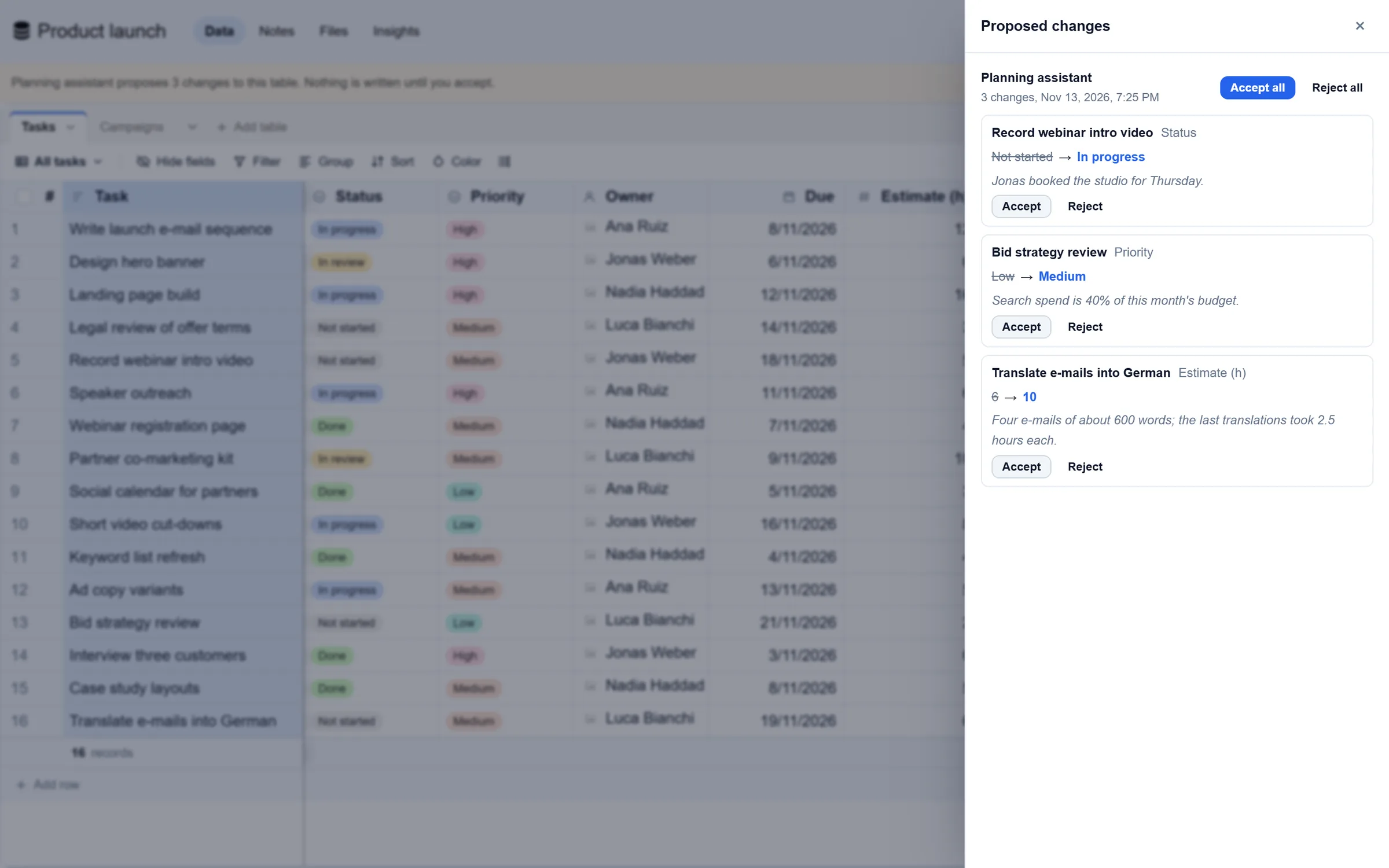
When an agent in review mode changes a record, the change waits as a proposal, one per field. A line over the table says which agent proposes how many changes.
- Click Review on that line. Proposed changes opens beside the table.
- For each change, read the record, the field, the value now (struck through), the value proposed and the agent's reason, if it gave one.
- Click Accept or Reject, or use Accept all or Reject all for a whole batch.
An accepted change is written as your edit, and the record's history credits both, for example "Invoice bot, accepted by Dana". If someone changed the cell after the agent looked, the proposal is stale and nothing is written.
Undo what an agent wrote
- In AI agents, find the agent.
- Click Undo its last 24 hours.
Changed records get their values back, records it added go to the trash and records it deleted come back. A cell someone changed after the agent keeps that person's value. Changes a person accepted are that person's edits and stay.
Good to know
- An agent follows the same rules as a person: hidden tables stay hidden from it, and rules on who sees which records apply to it too.
- In review mode, new records are added at once and deletes go to the trash, where they can be restored. Only changes to existing records wait for review.
- People who can change the table accept or reject proposals. People who can only read, guests and agents cannot.
- Each agent shows its changes this week and the share of its proposals that were accepted.
- New token makes a new token and stops the old one. Remove ends its token and access and rejects its undecided proposals; what it already changed stays, credited to it.
- Through the API, owners can undo up to 30 days of an agent's work.