Ask Claude, ChatGPT or Le Chat about Artavolo
Updated
If you already use an AI assistant such as Claude, ChatGPT or Le Chat, you can ask it how to do things in Artavolo, in your own words. With the Artavolo Help connector added, it reads the answer from this help centre instead of guessing, and gives you a link to the page.
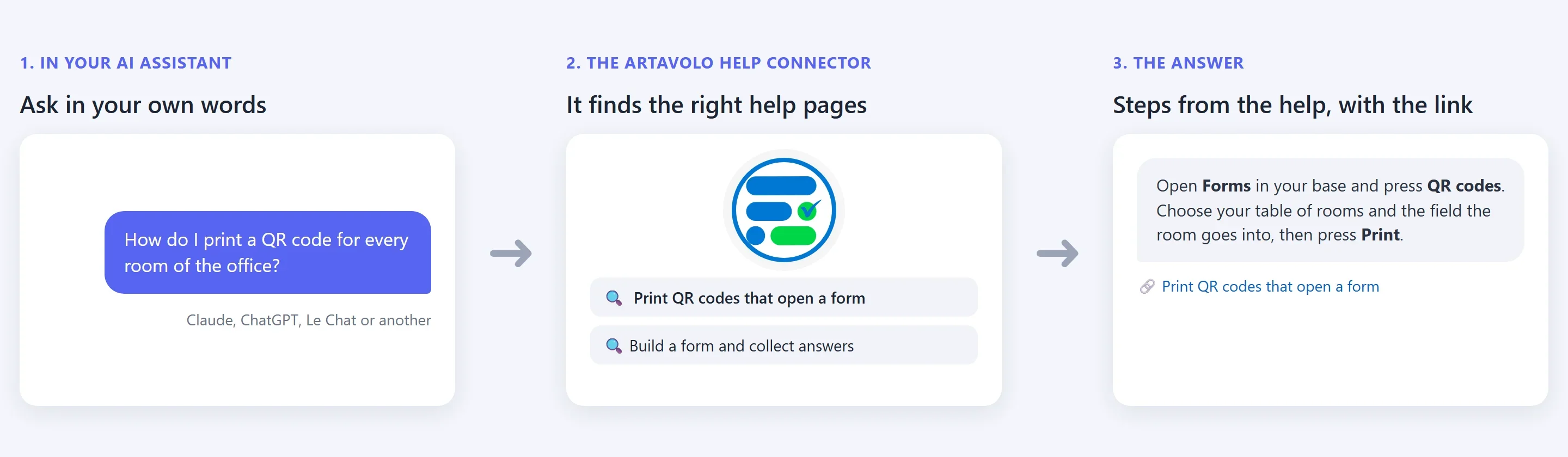
A connector is an add-on that lets your assistant look things up somewhere else, here in Artavolo's help. It is free, needs no account and no sign-in, and it cannot see anyone's bases. To work with your own records from a chat, connect your bases instead: see Connect Claude, ChatGPT or Le Chat to your bases.
What you need
- An AI assistant that lets you add connectors, such as Claude, ChatGPT or Le Chat.
- This address, which you paste into it:
https://artavolo.com/mcp/help
Add it to your assistant
Each assistant has its own settings page for this, outside Artavolo. The steps are short:
- Claude: open Settings, then Connectors, and add a custom connector. Name it Artavolo Help, paste the address, and leave the sign-in settings empty.
- ChatGPT: open Settings, then Apps and connectors. With developer mode on, create a connector with the address and no authentication (no sign-in).
- Le Chat: open Connectors and add a custom MCP connector with the address and no authentication.
- Claude Code, Cursor, VS Code and other tools for developers: add it as a remote (HTTP) MCP server. In Claude Code:
claude mcp add --transport http artavolo-help https://artavolo.com/mcp/help
The menus of these apps change from time to time. If a step looks different, look for "connectors" or "MCP" in the app's settings.
Try it
Start a new chat and ask a question about Artavolo, for example:
- "How do I print a QR code for every room?"
- "How do I show each salesperson only their own deals?"
- "What does a team of 12 pay?"
- "How do we move from Trello?"
The assistant searches the help, reads the right page and answers with the steps. Click the link it gives to open the page.
What it can look up
- Every help article and document of this help centre.
- Artavolo side by side with Airtable, monday.com, Asana, Notion, Smartsheet, Baserow, Excel, Access and others, with the other tool's own pages as sources and the date each comparison was last checked.
- The step-by-step guides to move from those tools.
- The plans and prices, and what each includes.
Without a connector
Every help article, document, comparison and move guide also has a plain text copy that AI assistants and other programs can read: add .md to its address, as in https://artavolo.com/page/formula-field.md. You can paste such a link into any chat. https://artavolo.com/llms.txt lists them all, and https://artavolo.com/llms-full.txt holds their full text in one file.
Good to know
- Everything the connector reads is public. Your questions go to your AI assistant under your account with it, as any question you ask there does; the connector sees only the words the assistant searches for.
- For developers: it is a Model Context Protocol (MCP) server, answered over HTTPS with the Streamable HTTP transport, and needs no authentication. Its tools are
search,fetch(a whole page as text),compare,move_guide,pricingandhelp_topics(every page, by topic).