Move from Excel or Access
Updated
If your business runs on an Excel workbook or an Access database, you can turn the whole file into a base in one go. Each sheet or table becomes a table, a column that names rows of another sheet becomes a link, and formulas stay formulas. Artavolo then checks its answers against the file's own, so you know nothing was lost.
Bring an Excel workbook
- On Home, click Import a spreadsheet, then the Excel tab.
- Click Pick or drop the file and choose your workbook. You can pick several files at once.
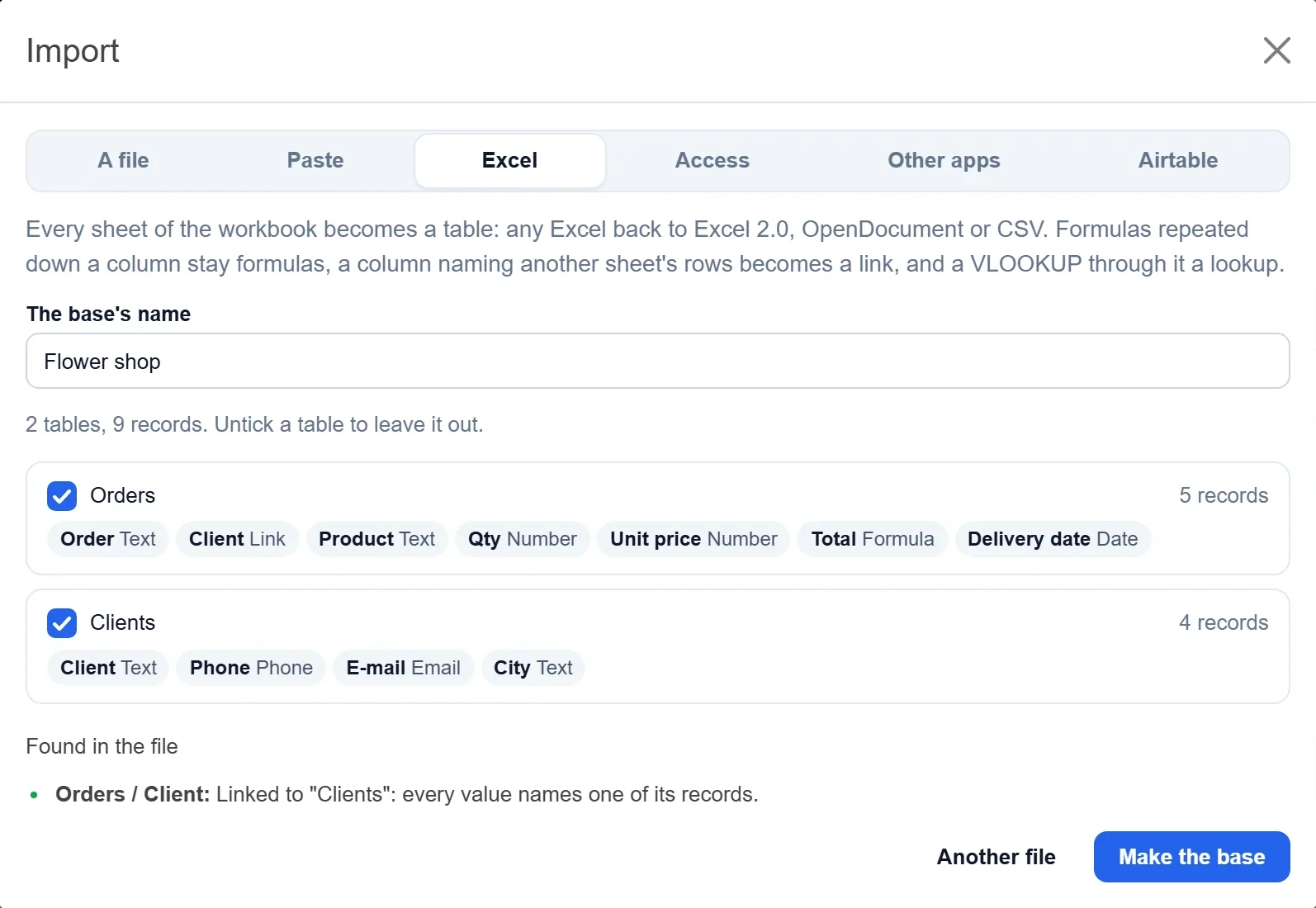
- Check the tables found, each with its records and fields and the type of each field. Untick a table to leave it out. Found in the file lists the links it made, for example that the Client column of Orders now points at the Clients table.
- Check the name under The base's name and click Make the base.
Take any password off the workbook first.
Read the report
When the base is made, the window says Your base is here, with the number of records and tables, and then:
- Formulas and lookups, checked against Excel (or Access): each formula worked out here and compared with the file's own result, record by record. "Matches Excel on all 5 records" means it is right.
- Made from what the file had: what Artavolo built, such as links.
- What is different, if anything: things to look at, such as a formula that reaches into other rows (a running total, say). That comes over as its values, never as an error.
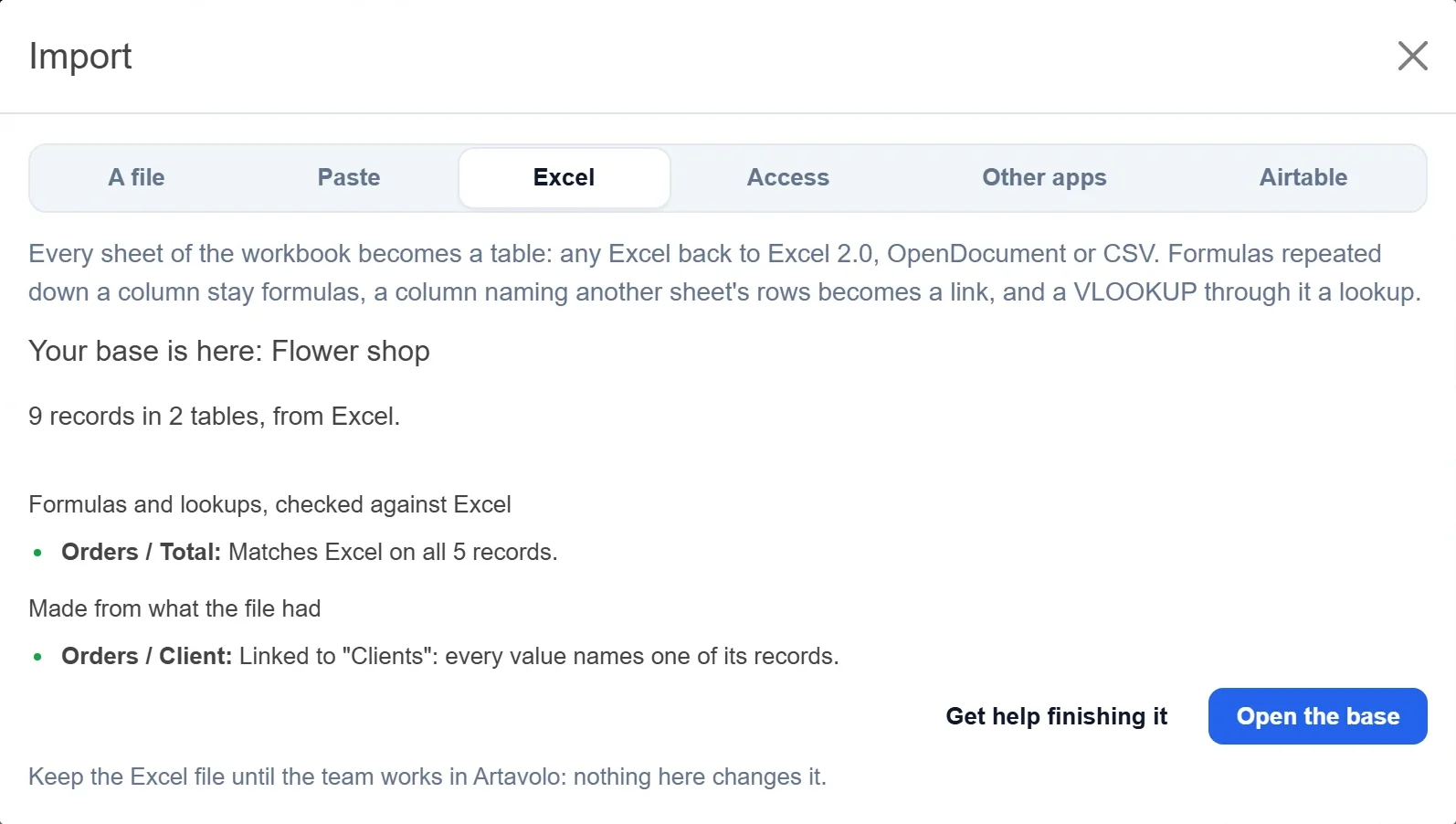
Click Open the base to start using it. Keep the Excel file until your team works in Artavolo; nothing here changes it.
Bring an Access database
- Close Access, and make a copy of the .mdb or .accdb file.
- On Home, click Import a spreadsheet, then the Access tab.
- Click Pick or drop the file and choose the file. If it has a database password, type it under The database's password and click Open it.
- Check the tables, untick any to leave out, check the base's name and click Make the base.
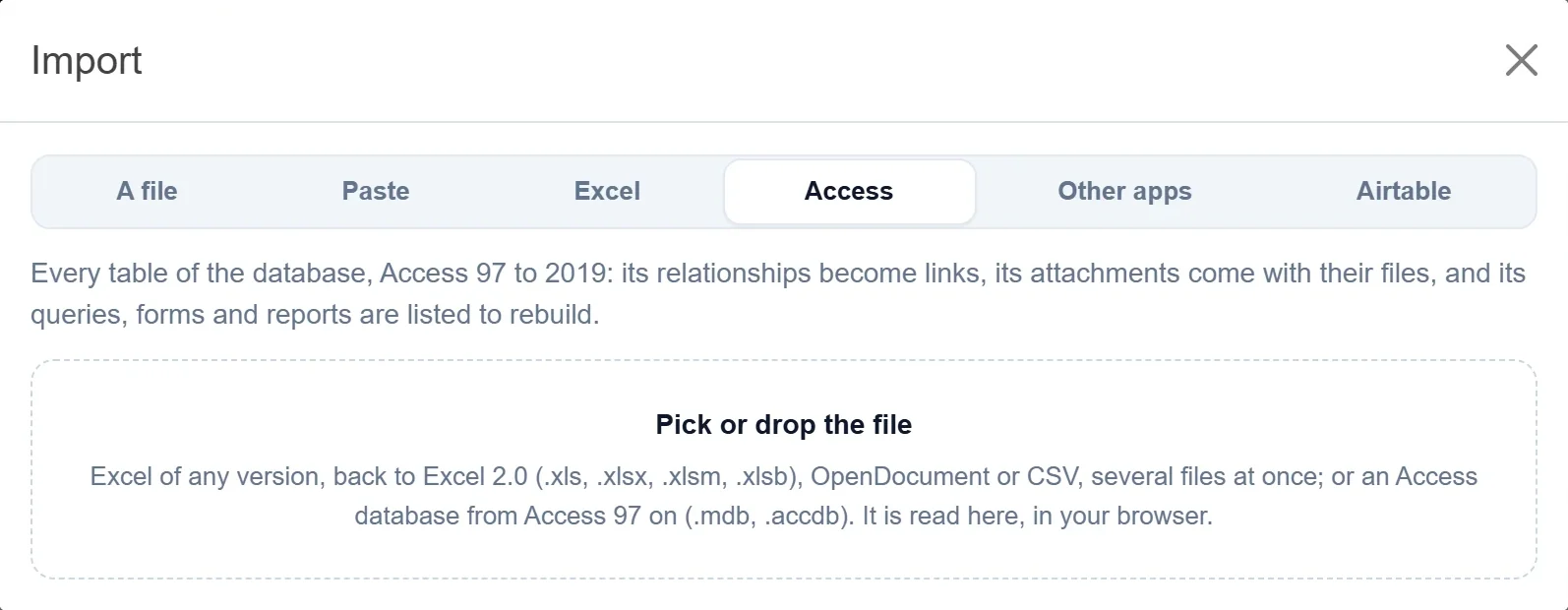
Access 97 to 2019 is read, one database at a time. Linked tables live in other files: import those files too.
What comes over from Excel
- Each sheet as a table. The header row is found even under title rows; merged cells are filled down and a totals row is left out.
- Field types from the values and number formats: money with its currency symbol, percentages, dates, tick boxes, e-mail addresses, web links, and a status column as a choice list.
- A formula repeated down a column as a formula field, written with field names, such as
{Qty} * {Unit price}. - A column naming another sheet's rows as a link, and a VLOOKUP through it as a lookup.
What comes over from Access
- Every table, with Access's own types: AutoNumber, Currency, Yes/No, Date/Time, Memo, Hyperlink and rich text.
- Relationships as links: Orders.CustomerID becomes a link to the customer's record. Records whose parent is gone are counted in the report.
- Attachment fields with their files.
- A readable first field to name each record.
- The queries, forms, reports, macros and modules, listed by name in the report so you know what to rebuild.
What to rebuild
- Excel charts and pivot tables: as chart, pivot and dashboard views.
- Macros and VBA: as automations.
- Access queries: as views with filters. Forms and reports: as forms, interfaces and dashboards.
Need a hand? Get help finishing it, in the report, opens a message to the Artavolo team.
Good to know
- Every Excel since 2.0 is read: .xls of every version, .xlsx, .xlsm, .xlsb, the 2003 XML format, OpenDocument (.ods) and CSV.
- The file is read in your browser; only the base you make is sent.
- Only owners of a workspace make bases from a file, up to the number of bases on its plan.
- To add one sheet to a base you already have, use Import a file as a table in the base: see Import a CSV, Excel or JSON file.
- Step by step pages: Move from Excel and Move from Access.