Move from monday.com, Asana, Trello, Notion and other apps
Updated
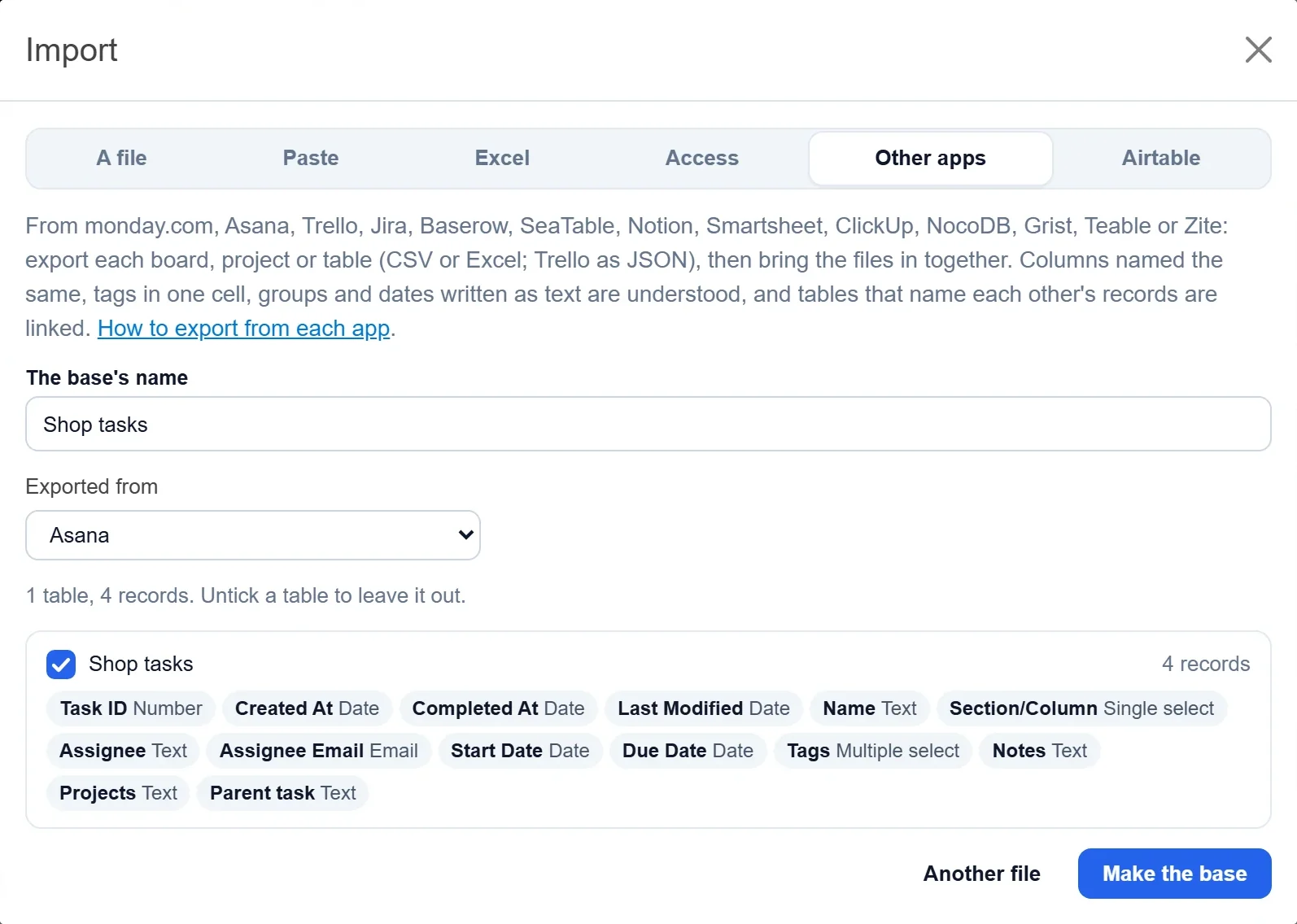
Moving from another work app takes two steps. First you download your boards, projects or tables from that app as files. Then you bring all the files into Artavolo together, and they become one base, with a table for each file and the tables linked where one names the other's records.
Step 1: Export from your app
| App | What to export |
|---|---|
| monday.com | Each board to Excel, from the board's menu |
| Asana | Each project as CSV, from Export / Print |
| Trello | Each board as JSON, from Print, export and share |
| Jira | A search as CSV with all fields |
| Notion | Each database as Markdown & CSV, then unzip it |
| Baserow, NocoDB, Teable | Each table as CSV (or Excel) |
| SeaTable, Smartsheet | Each table or sheet as Excel |
| ClickUp | Each list as CSV or Excel, from a List or Table view |
| Grist | The whole document as XLSX |
The exact clicks for each app, what comes over and what to rebuild are on /migrate (the window's How to export from each app link). From Google Sheets, LibreOffice or Numbers, download or save each sheet as Excel or CSV.
Step 2: Bring the files in
- On Home, click Import a spreadsheet, then the Other apps tab.
- Click Pick or drop the exported files and choose all your files at once.
- Under Exported from, pick the app. This is optional; it helps the report name the app.
- Check the tables and the type of each field. Untick a table to leave it out, and Another file adds one you forgot.
- Check the name under The base's name and click Make the base.
The report that follows works the same as for Excel: see Move from Excel or Access.
What the import understands
- A cell naming records of another file, such as "Acme, Globex", becomes a link to each of them.
- A sheet that repeats its header for each group, as monday.com's export does, keeps only the items, and the group names become a Group choice field.
- Columns with the same name are joined into one field, such as Jira's several Labels columns.
- Tags in one cell ("Agency, Q4") become a multiple choice field. Columns named Status, Priority, Stage or Section become choice fields even in a short file.
- Dates written as text are read: 2026-11-15, Jira's 15/Nov/26 10:30 AM, 15.11.2026, and 11/15/2026, with the day and month order worked out per column.
Trello boards
Each board's JSON file becomes a table: the list as a choice field in the board's order, descriptions, labels with their colours, members, start and due dates, done, checklists, comments, attachments by name and link, custom fields, archived cards, and each card's link and created time. Make a Kanban view grouped by list and you have your board back.
Good to know
- Exports rarely carry automations, formulas or files. Formulas often come as their values, and attachments as links to the old app. The report says what is different.
- Rebuild rules and workflows as automations, and dashboards as interfaces.
- The files are read in your browser; only the base you make is sent.
- Only owners of a workspace make bases from files, up to the number of bases on its plan.
- Coming from Airtable, Excel or Access? Use the dedicated imports: Move from Airtable, Move from Excel or Access.