Bases, tables, fields and records explained
Updated
Artavolo uses a handful of words for the parts of your data. Once you know them, every other help page is easier to follow. If you have used Airtable, the words are the same and mean the same things.
Workspace
A workspace is the home of your bases and the people who work in them, for example one for your company, or one for each client you work for. Its owners decide who belongs to it and, on the hosted service, which plan it is on. You can belong to several workspaces; Home shows them all.
Base
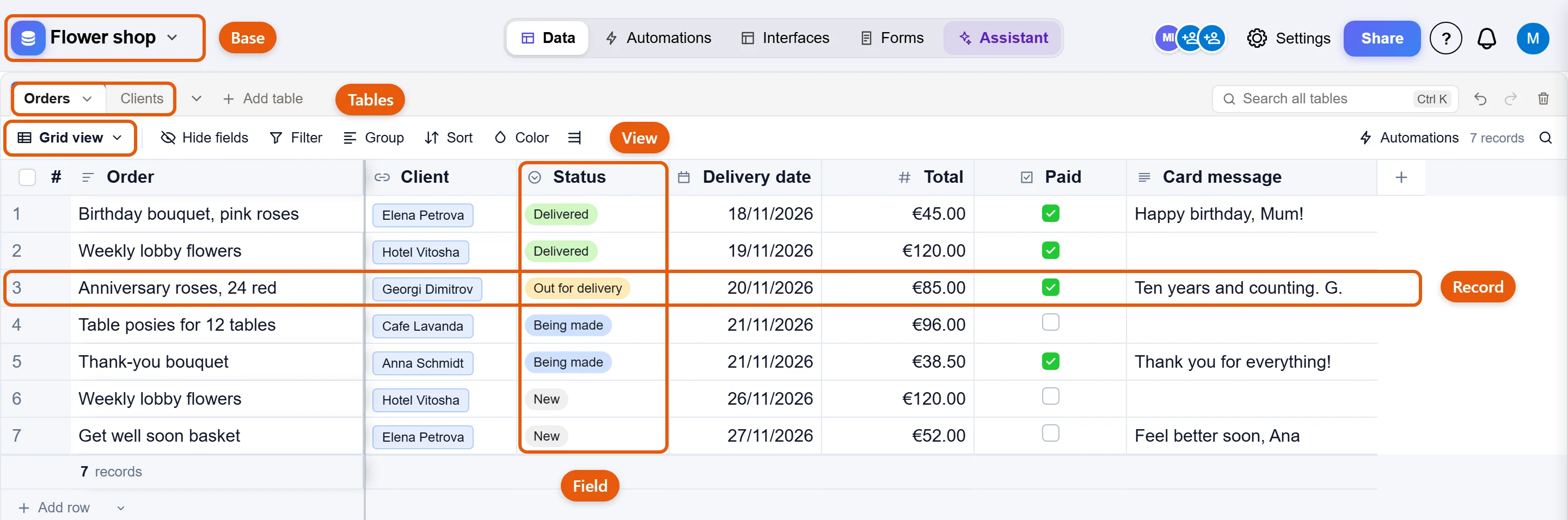
A base is one part of your work with everything that belongs to it: the shop, a hiring round, a product launch. It has a name, an icon and a colour, its own members and settings, and four sections across the top: Data, Automations, Interfaces and Forms. Click the base's name at the top left for its notes, files and insights.
Table
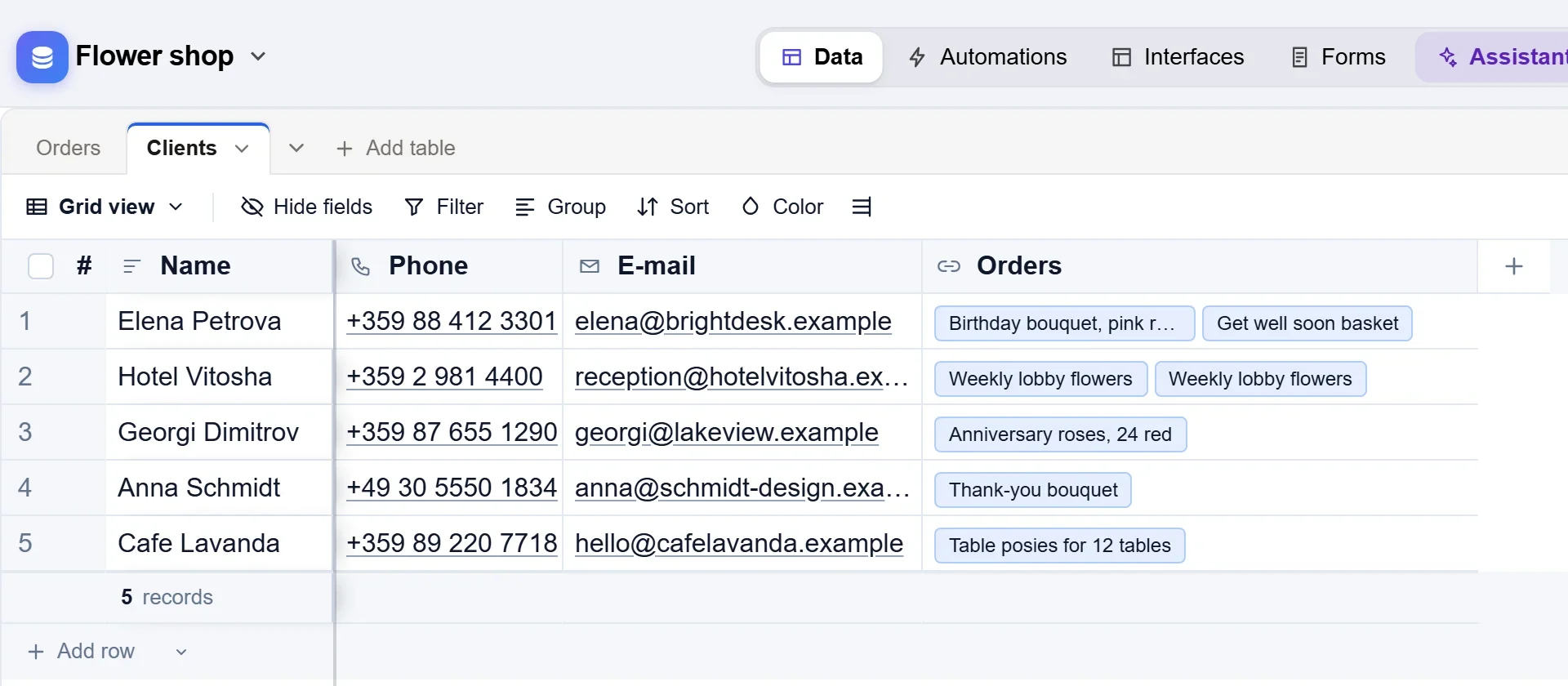
A base holds one or more tables, shown as tabs above the grid. A table is a list of one kind of thing: Orders and Clients in the picture. Tables in the same base can point at each other with a field of the type Link to records. Each order names its client, and the client's record lists every order, without typing anything twice:
Field
A field is one piece of information that every record has, shown as a column. Every field has a type, which decides what it can hold and how you fill it in: text, a number, money, a date, a tick box, a choice from a list, a person, a file, a formula, a link to another table and more. The first field (Order in the picture) is the primary field: it names each record, so it is always shown. See Field types.
Record
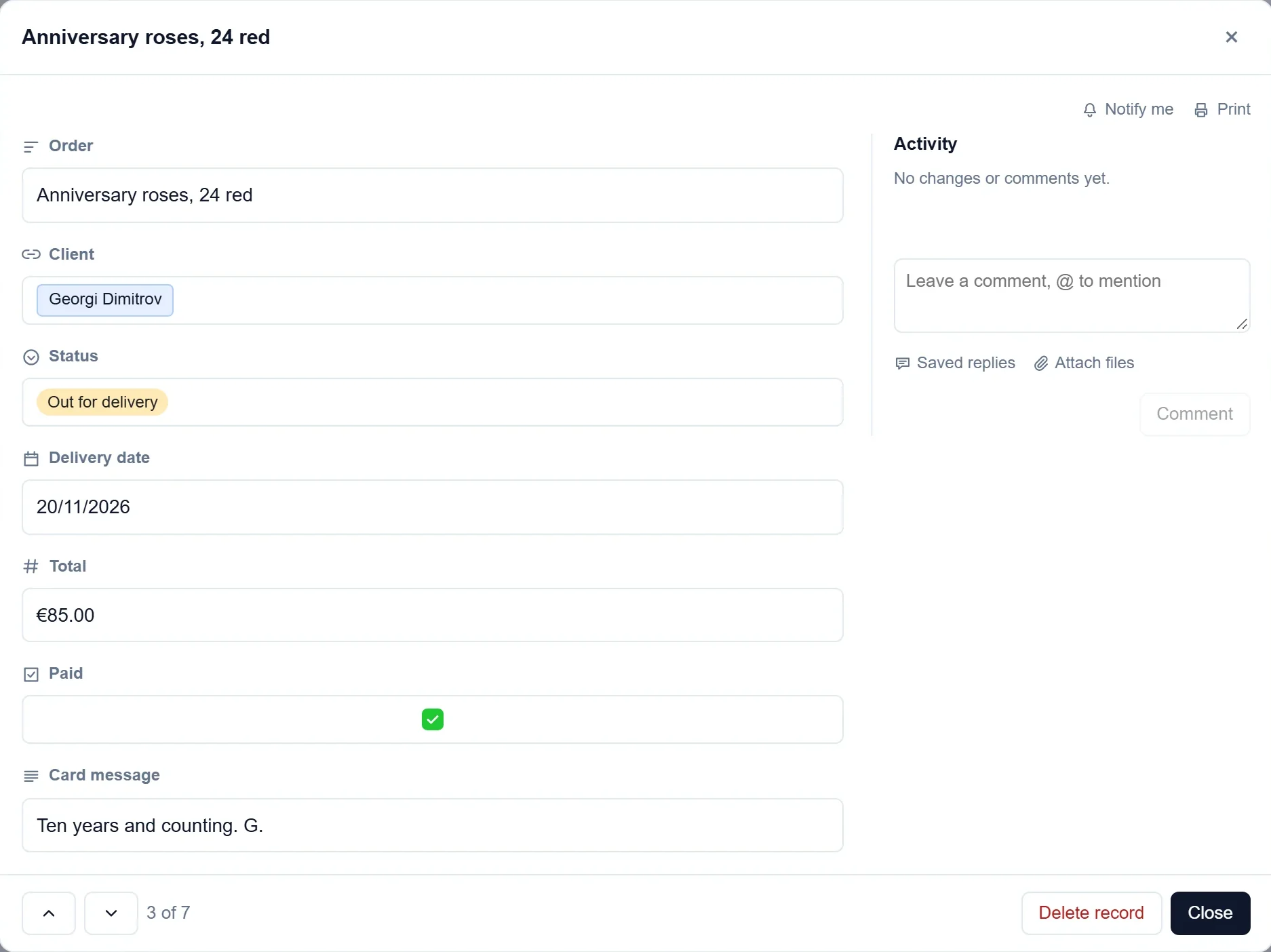
A record is one order, one client, one invoice, shown as a row. Click a cell to change it. To see the whole record at once, with room for comments and its history, click any cell in the row and press Space. On a phone, tap the number at the start of the row.
View
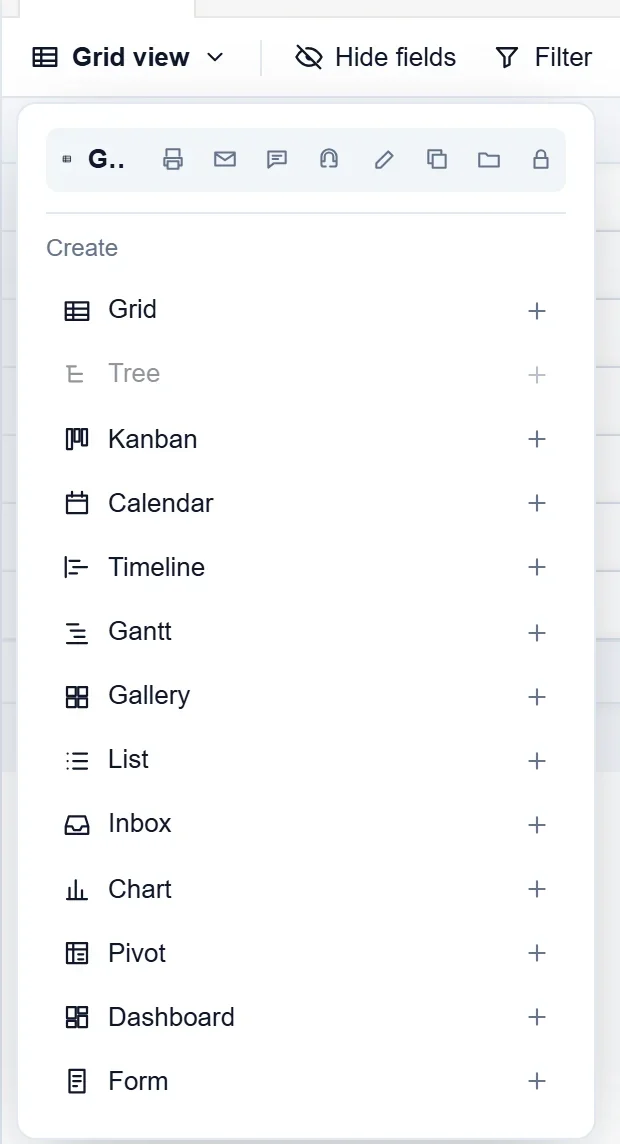
A view is a way of looking at a table. Click the view's name above the grid to switch views or create one: a grid, a board (Kanban), a Calendar, a Timeline, a Gallery and more. Each view keeps its own filter, sort, groups and hidden fields. Views never copy records, so a change made in one view shows in every other at once.
How they fit together
| Word | Holds | Example |
|---|---|---|
| Workspace | Bases and people | Rosa Flowers |
| Base | Tables | Flower shop |
| Table | Records | Orders |
| Record | A value for each field | Anniversary roses, 24 red |
| Field | One kind of value | Delivery date |
| View | A layout, filter and sort over a table | Orders by status, as a board |
Good to know
- Only owners of a base add tables and fields and change the shared views. Contributors add and change records; read-only members look.
- Standard and Pro have no record limit (on Free a base holds 10,000 records). A table past 10,000 records is read from the server a page at a time, so it still opens quickly.
- Deleting a table, field, view or record moves it to the trash for 30 days.