Write a guide to your base
Updated
A base guide is a short note you write for the people who use your base: what it is for, what each table holds, which view to use, and who to ask. New people see it by themselves the first time they open the base, so you do not have to explain the same things again and again.
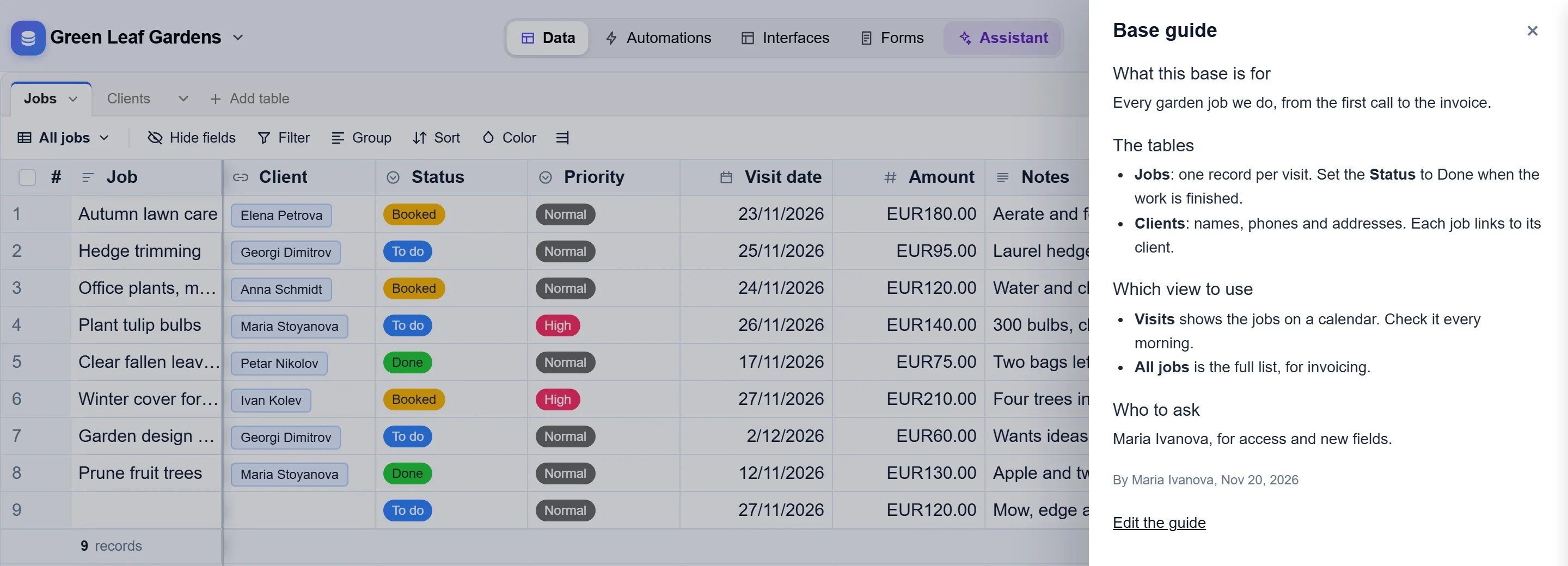
Write the guide
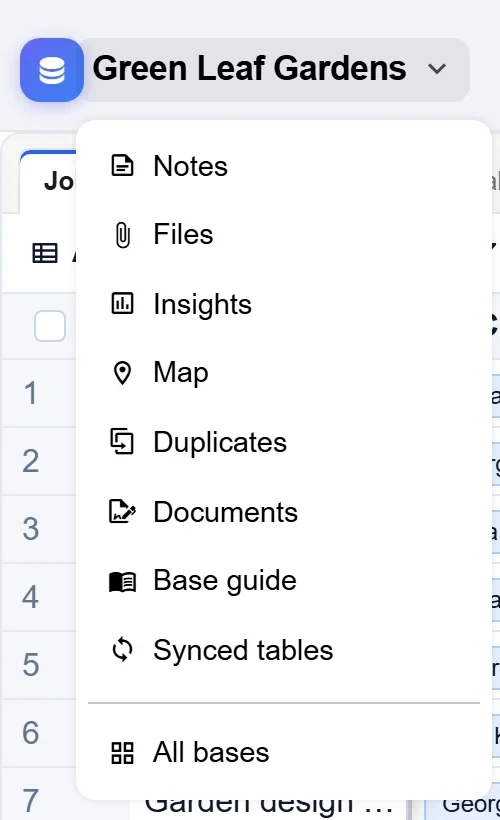
- Open the base. Click the base's name at the top left and choose Base guide.
- A panel opens on the right. If the base has no guide yet, the writing box is already open, with an example in grey to show you how. If there is a guide, click Edit the guide at the bottom.
- Write the guide in the box and click Save.
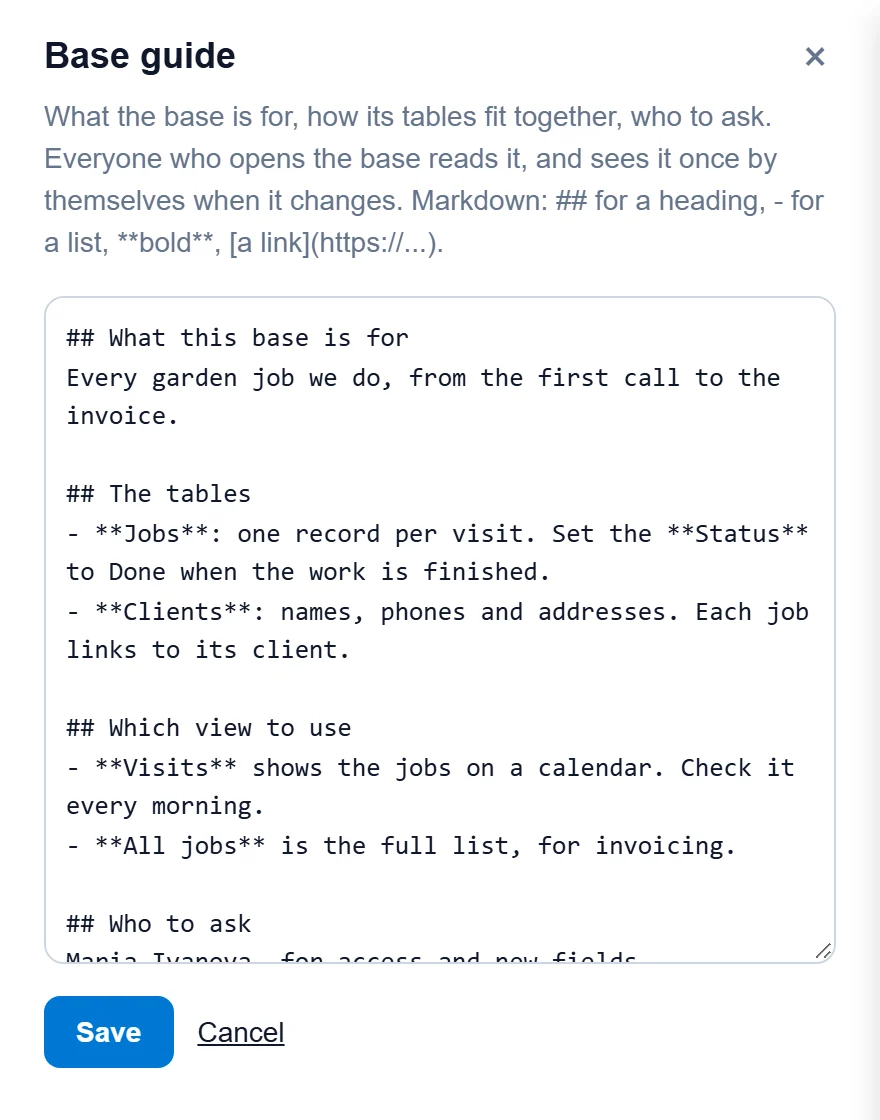
A few simple marks make the guide easy to read:
- Start a line with
##to make it a heading, for example## The tables. - Start a line with
-for a bullet point, or1.for a numbered list. - Put two stars around words to make them bold:
**Jobs**. One star on each side makes them slanted:*only on Mondays*. - Write a link as
[the order form](https://...). A web address on its own also becomes a link. - Leave an empty line between paragraphs.
Keep it short. Three headings are enough for most bases: what the base is for, the tables, and who to ask.
Read the guide
Anyone who can open the base can read the guide: click the base's name at the top left and choose Base guide. Close it with the × at the top right, or press Esc.
Good to know
- Only the owners of a base can write or change its guide. Everyone who can open the base reads it, including people who may only look. Guests who open the base through a public link do not see it.
- The guide opens by itself once for each person, the first time they open the base. After you change it, it opens once more for everyone, so they see what is new. Each browser remembers what it has shown.
- Under the guide you see who wrote it last and when.
- A guide can be up to 20,000 characters. Pictures cannot be added; link to them instead.