Install Artavolo on your own server
Updated
Artavolo can run on your own server instead of in our cloud, so your data never leaves your building or your chosen host. This is a job for whoever looks after your servers. There are two ways: Docker, which brings everything in one package, or PHP and MySQL on ordinary web hosting. Without a licence key it runs as the free Community edition, with no limit on people, records or bases, and it never contacts us.
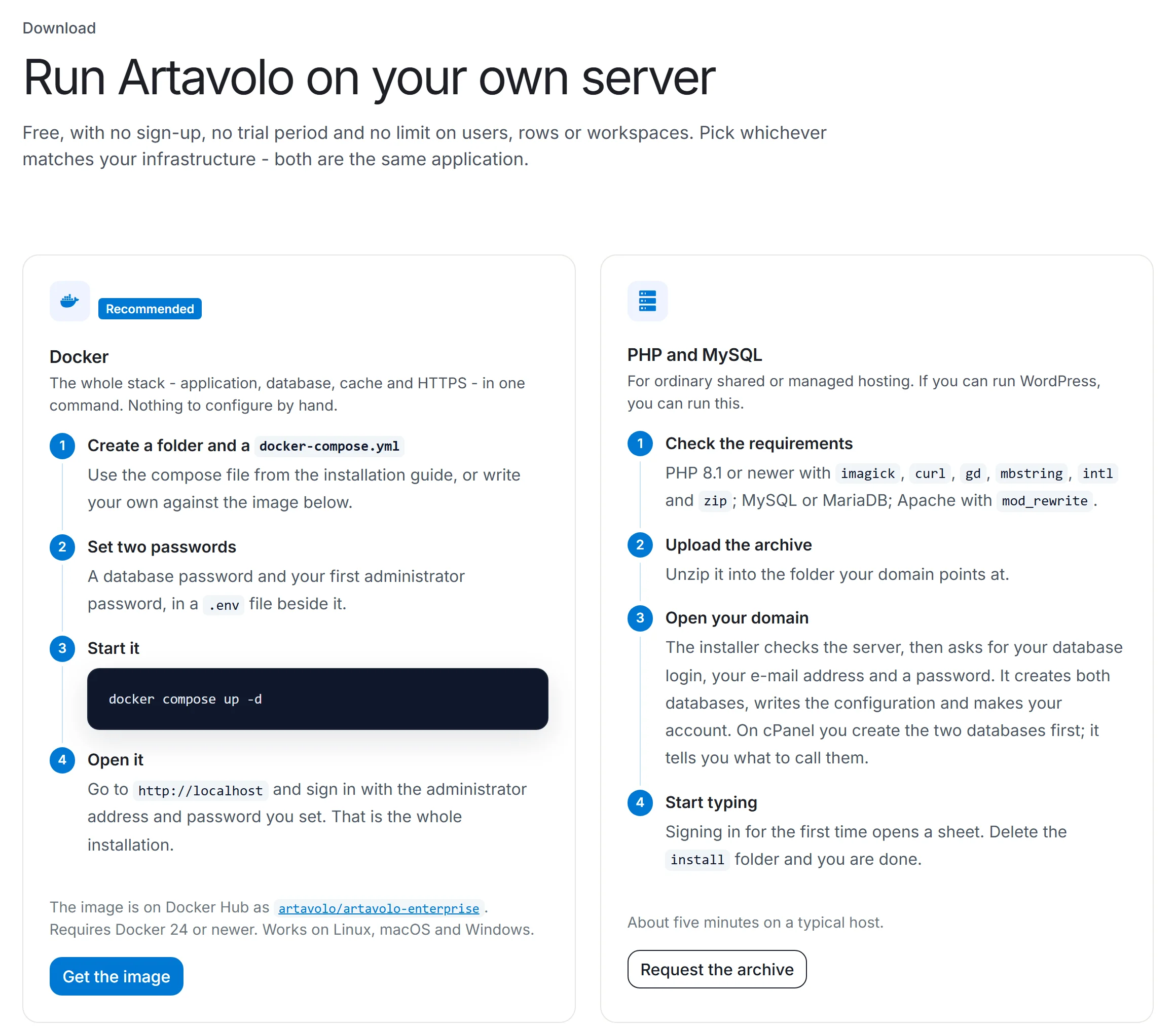
Both ways start on the self-hosting page (also in the site's Resources menu as Self-hosting).
Install with Docker
You need Docker 24 or newer, on Linux, macOS or Windows.
- On the self-hosting page, click Get the image. The image is
artavolo/artavolo-enterpriseon Docker Hub. - Make a folder with a
docker-compose.yml, using the compose file from the installation guide. - Beside it, make a
.envfile with a database password and your first administrator's e-mail address and password. - Run
docker compose up -d. - Open the address (on your own computer,
http://localhost) and sign in with the administrator's e-mail address and password.
The stack runs the application, the database, the cache and HTTPS. With a domain name set in .env, the security certificate is obtained and renewed for you.
Install with PHP and MySQL
You need PHP 8.1 or newer with the imagick, curl, fileinfo, gd, mbstring, iconv, intl and zip extensions, MySQL or MariaDB, and Apache with mod_rewrite and AllowOverride All. If your host can run WordPress, it can usually run this.
- On the self-hosting page, click Request the archive. Check the download against its
.sha256file. - Unzip it into the folder your domain points at.
- Open your domain in a browser. The installer checks the server, asks for your database login, your e-mail address and a password, creates the two databases (
artavoloandartavolo_data), writes the settings file and makes your account. On cPanel, create the two databases first; the installer tells you what to call them. - Delete the
installfolder. - Add a cron job that runs every 5 minutes as the web server user:
*/5 * * * * cd /path/to/artavolo/site && php cron.php. It runs scheduled automations, reminders, audit log clean-up and scheduled backups.
After it is running
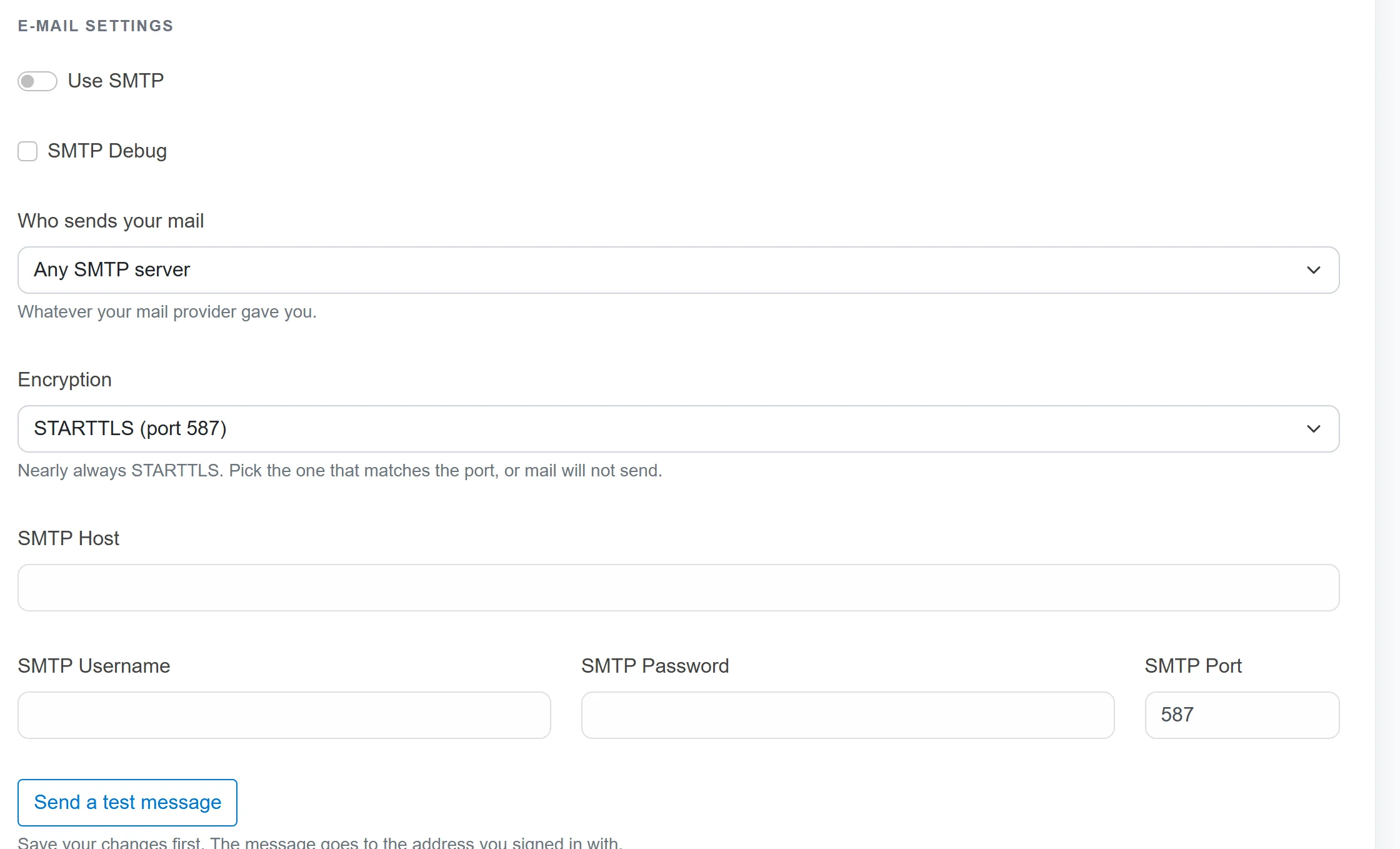
- Set up outgoing e-mail. Without it, invitations and password resets are not delivered (a Docker container has no mail service of its own). Click the round button at the top right, choose Control panel, then Settings, General. Under E-mail settings, switch on Use SMTP, choose Who sends your mail and fill in the details your mail provider gave you. Each setting is saved as soon as you change it. Then click Send a test message; it goes to the address you signed in with.
- Set a backup key. Set
BACKUP_ENCRYPTION_KEYinincludes/config.php(in Docker,ARTAVOLO_BACKUP_ENCRYPTION_KEY) to 32 or more random characters, and keep a copy somewhere else. See Schedule encrypted backups. - Paste your licence key, if you bought one. See Apply a licence key.
Upgrade to a new version
With Docker, set the new image version, then run docker compose pull and docker compose up -d. Database changes run when the container starts.
With PHP, run php utilities/upgrade.php with the new archive. It checks the archive, keeps a copy of the current code, keeps your settings, uploads and data, and runs the database changes.
Good to know
- The paid plans cost the same on your server as in our cloud, per editor (people who only look are free), with a licence key for the number of editors you need. The free Community edition is enough for many teams. See Plans, prices and how you pay.
- Live updates, where other people's changes appear without reloading the page, need the separate websocket server. The installation guide says how to start it.
- The folders
data,includesandlibsmust not be reachable from the web. They come with rules that block it; if your Apache ignores.htaccessfiles, copy those rules into the site's configuration. - There is also
npx artavolofor developers: it writes a compose file and starts the Docker stack for you.