Put your booking page or form on your WordPress site
Updated
If your website runs on WordPress, your customers can book you or fill in your form right on it. The free Artavolo plugin shows your Artavolo page inside any page of your site, in its own width, and it grows with its content, so there is no small box to scroll inside.

It shows three kinds of Artavolo page:
- a booking page, where people book an appointment or a stay;
- a form, such as an enquiry, an application or an order;
- a guest view: a list from one of your tables, such as a price list or a timetable, that visitors can read.
Everything people send lands in your Artavolo base, as it does from the page's own address. You need nothing else in WordPress: no password and no key.
Step 1: Copy your page's link in Artavolo
- A booking page: open your base, click Interfaces at the top and click your booking page. At the top of its window, click Copy next to its address. New to booking pages? Let people book you: booking pages shows how to make one.
- A form: click Forms at the top, pick the form on the left and open the Sharing tab. Switch on Share the form and Anyone with the link, then copy the address under Link to the form.
- A guest view: open the table, click Share at the top right and then Guest Access. Switch on Allow guests to view the base, and copy the address under Link for WordPress.
Step 2: Install the plugin in WordPress
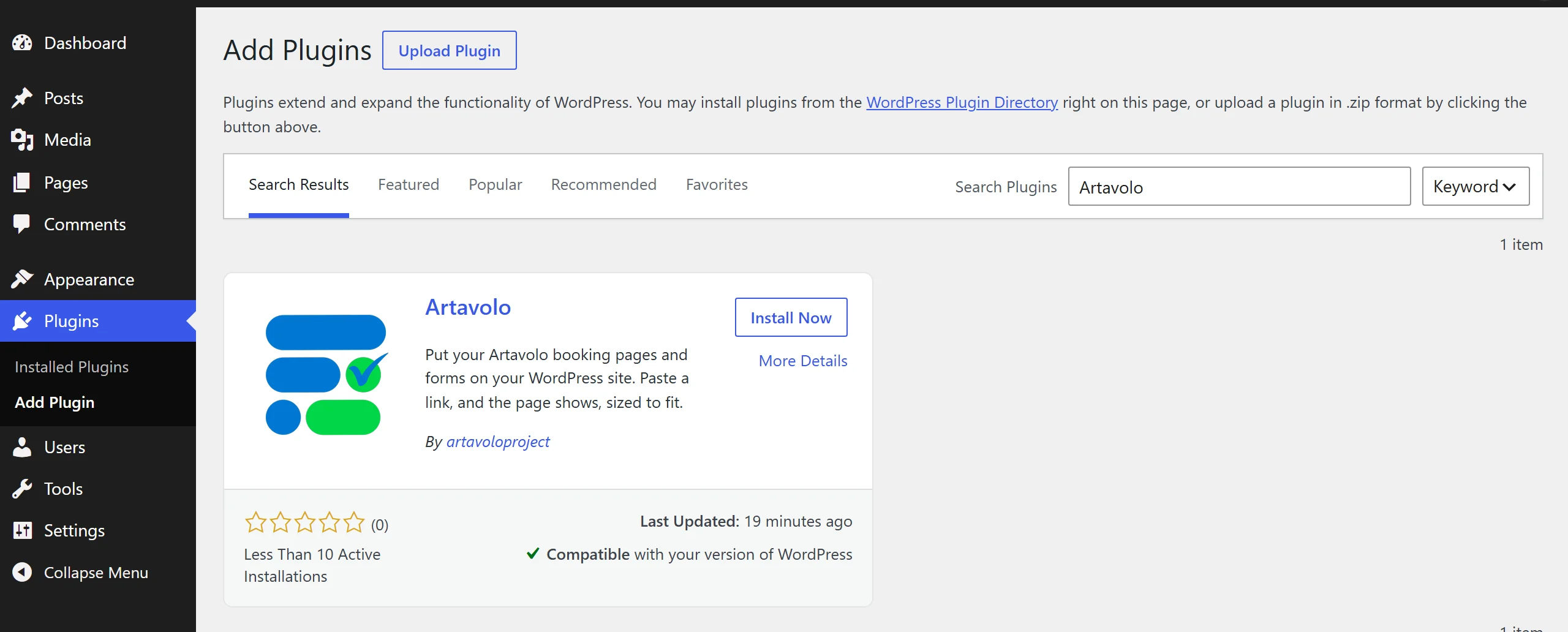
- Sign in to your WordPress site and click Plugins in the menu on the left, then Add Plugin.
- In the Search Plugins box, type Artavolo.
- On the Artavolo card, click Install Now, and then Activate.
Step 3: Add the block and paste the link
- Open the page where people should book or fill in the form, or make a new one under Pages, Add Page.
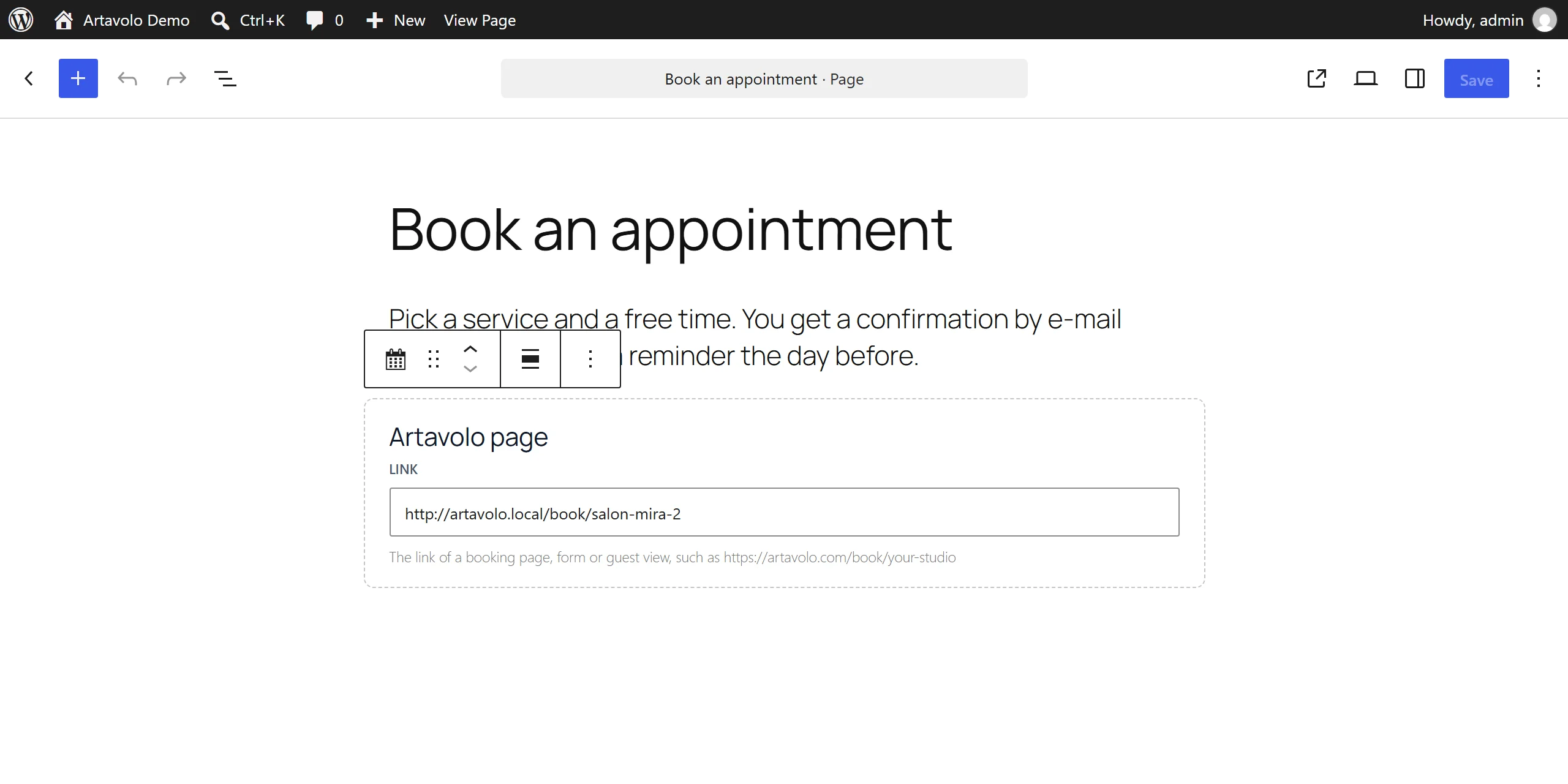
- Click the blue + at the top left, type Artavolo and click Artavolo Page.
- Paste the link from step 1 into the Link box of the block.
- Click Save (or Publish for a new page), then View Page to see it as your visitors do.
Prefer shortcodes, or use an older editor? Paste this where the page should show, with your own link: [artavolo_page url="https://artavolo.com/book/your-studio"]
Good to know
- Changes show by themselves. When you change your services, hours, questions or prices in Artavolo, your WordPress page shows them at once. You never paste the link again, unless you change the page's address in Artavolo.
- A closed page says so. If you switch the booking page off in Artavolo, your WordPress page shows that it is closed instead of taking bookings.
- Not on WordPress? The booking page's window has On your own website with a piece of code to paste into any website builder, and a form's Sharing tab has Embed in a website.
- Your own Artavolo server works the same way. For it, the plugin also has an Artavolo Sheet block that shows a whole table; see Settings, Artavolo in WordPress.