Print QR codes that open a form
Updated
A QR code from Artavolo opens one of your base's forms on the phone that scans it. Print one code per room, lift or entrance and each code fills in which place it is, so a cleaner, a technician or a visitor logs a visit in a few taps, with no account. Each answer becomes a record that keeps the time it came in.
Before you start
The codes open a form anyone can fill in, so the table's form must be shared with Anyone with the link: open Forms, pick the table and turn sharing on under Sharing. See Build a form and collect answers.
For one code per place, the base also needs:
- a table of the places, such as Rooms, whose primary field names each one, and
- a text or single select field on the form for the place, such as Room.
Print the codes
- Open Forms, pick the table and press QR codes.
- In Form people fill in, choose the form.
- In One code for each record of, choose the table of places.
- In Filling in the field, choose the form's field the place goes into.
- Press Print.
Each card shows the base's name, the place and its code, with a line asking people to scan it with their phone camera. Leave the table of places at (one code for the form) to print a single code that opens the form as it is.
The page often chooses for you: when the form has a text field named like another table's primary field, for example Room and the Rooms table, it opens with those two already picked.
What happens when someone scans a code
- The phone opens the form with the place already filled in. It is shown, not hidden, so the person sees which room the code was for.
- They answer what the form asks, such as tasks ticked, notes and photos, and send it.
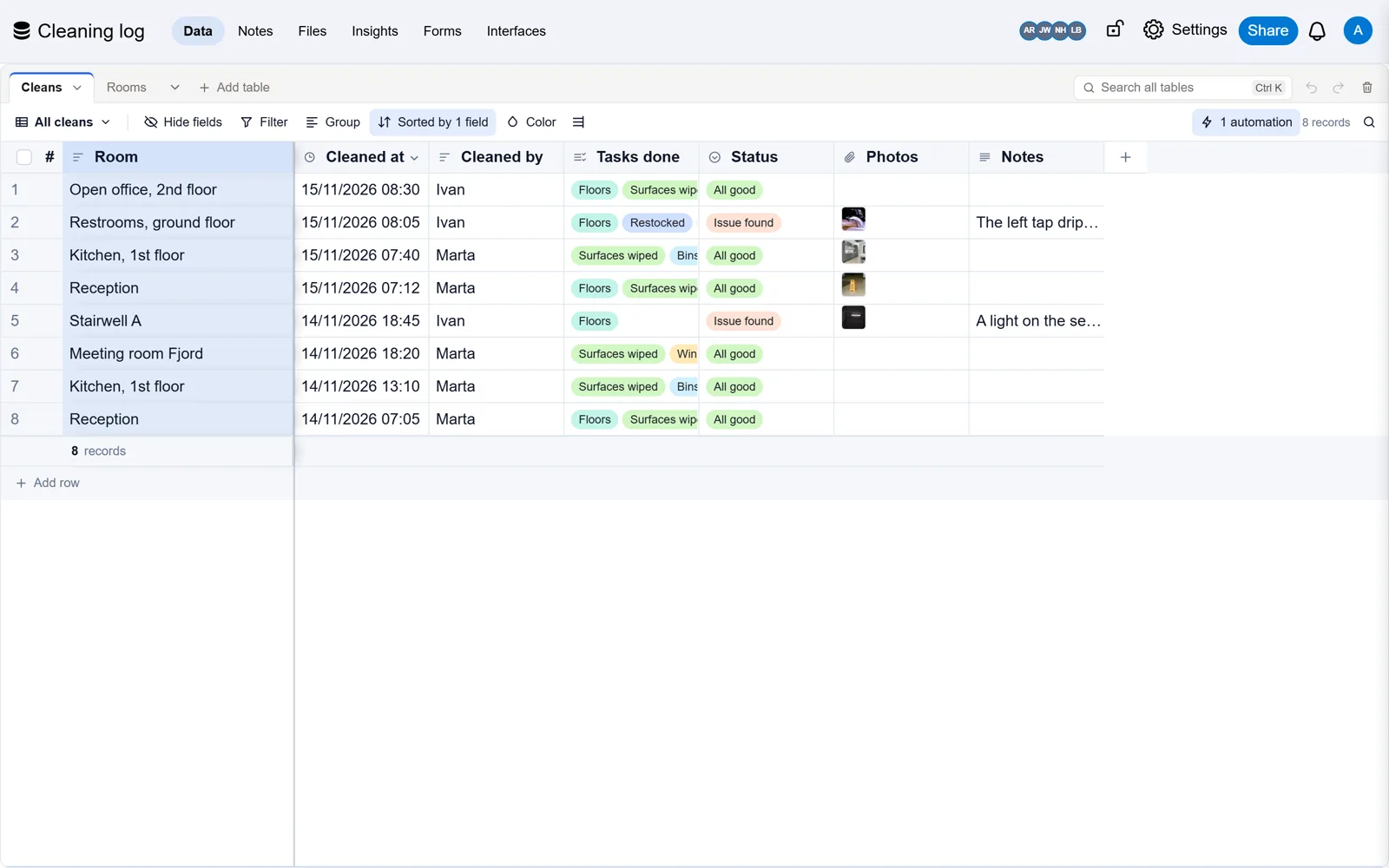
- The new record keeps the time it came in, so the table becomes a log of every visit.
Protect the form with a password
With a password, only people who scan your codes, or who know the password, can fill in the form. Each printed code carries a key, so a scan, or a photo of the code, opens the form without typing anything. Someone with only the form's link is asked for the password.
- On the QR codes page, type a password and press Set password.
- To change it, type a new one and press Change password. Take it off removes it.
- Print the codes again after any change: a new password retires every code printed before it.
You can also set the password in the form's Sharing settings.
Start from a template
Three templates are built around QR codes: Cleaning log (cleaners scan, tick tasks and add photos), Lift and equipment service (technicians scan on arrival and record the visit) and Visitor and new starter check-in (arrivals at each entrance). Each opens its form to everyone and e-mails the person who made the base about every new record.
Good to know
- Any member of the base can open and print the QR codes page. Only owners can set, change or take off the password.
- One sheet prints up to 300 places. A place with an empty primary field gets no card.
- If the base has no form open to everyone yet, the page says so and explains what to turn on.
- Scanning a barcode or QR code inside Artavolo, to fill in a field or find a record, is a different feature: see Take photos and scan barcodes.