Only some people can approve or delete a record
Updated
Some decisions belong to one person. Only the approver of a purchase request should approve it, and only the person who raised a request should delete it. Artavolo can follow the person each record names, so the rule is set once and works on every record.
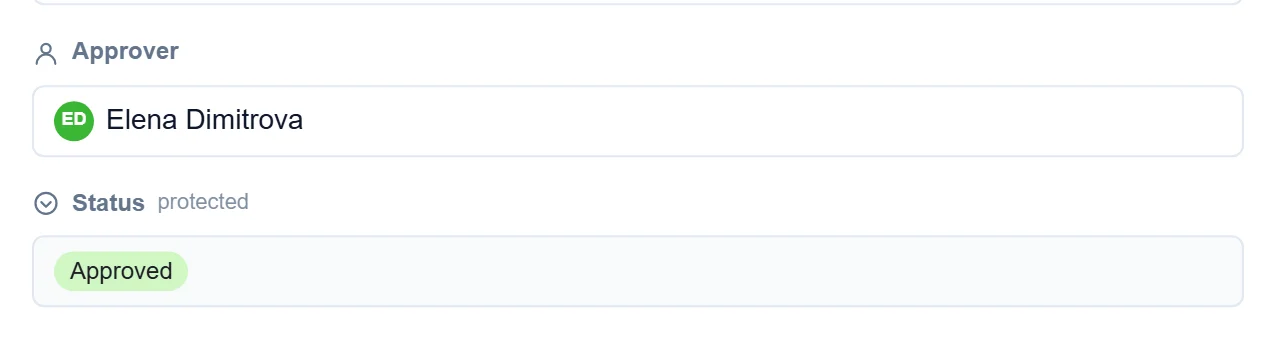
What you need
- A person field that names who decides, such as Approver. Add one with + at the end of the fields and the type User.
- A choice field for the answer, such as Status with Open, Approved and Declined.
Let only the approver approve
- Point at Status, click the menu button at its right and choose Edit field.
- Under Who can edit its values, choose Only these people.
- Untick yourself if you do not approve requests, and under And whoever the record names in tick Whoever is in Approver.
- Tick Only for some choices, then tick Approved and Declined.
- Press Save.
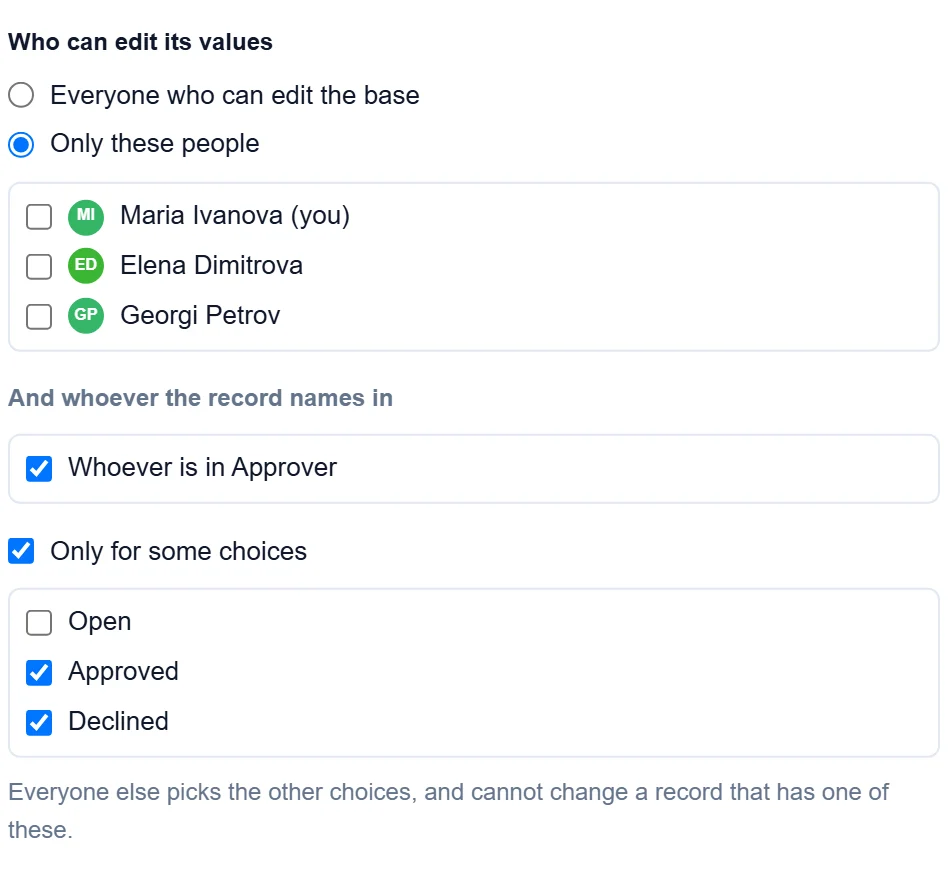
Now everyone can still set a request to Open, but only the person in its Approver field can pick Approved or Declined. Once a request is approved, nobody else can change its status. The field's name shows a lock: point at it to read who decides.
Without Only for some choices, the whole field is theirs. Use that for a field such as Budget that only the approver may change.
Let only some people delete records
- Open the base, click Share and choose Base / Group.
- Scroll down to Permissions and find the table under Tables.
- Under Who can delete its records, choose Only some people.
- Pick people by name, or choose a person field: Whoever is in Approver, or Whoever is in Created by for the person who added the record.
- Click Save.
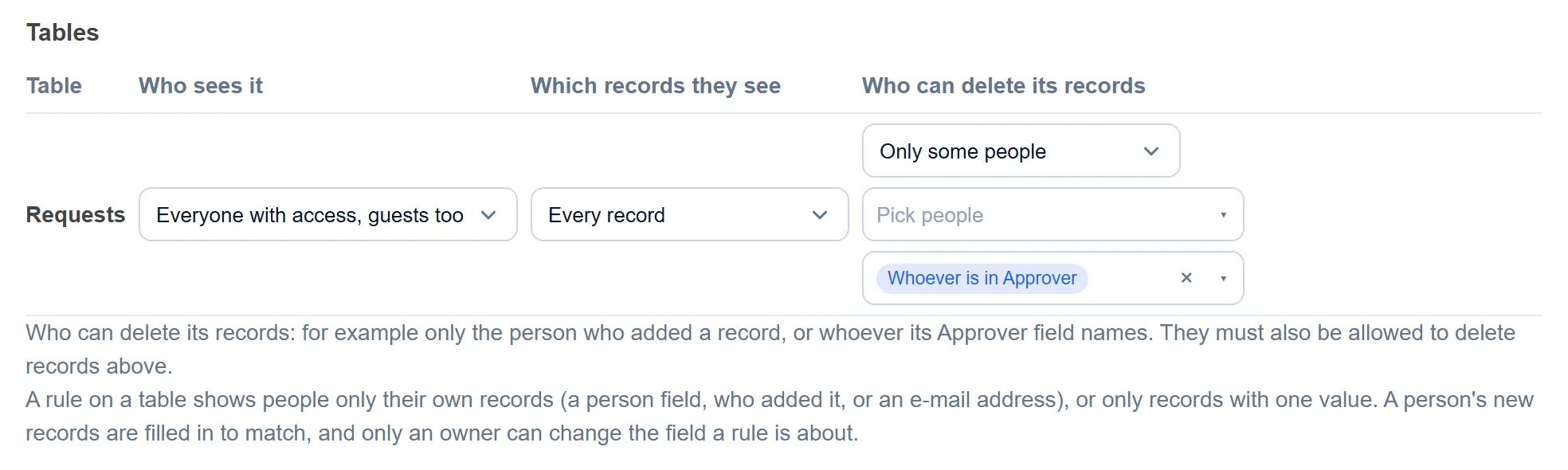
Now Delete record shows only on the records a person may delete. To offer Created by, add a field of that type to the table first.
A button only the approver can press
A Button field can do the approving in one press. In its settings, Who can press it can be Only these people with Whoever is in Approver ticked. Everyone else sees the button greyed out. A button that changes Status also follows the Status rule above, so it is greyed out for anyone who may not approve.
Good to know
- The server checks every change, so the rules also hold for the API, AI chat and imports.
- A new record names nobody yet, so a person cannot add a record that is already approved, even with themselves as the approver.
- The rules on a field hold for the base's owners too. Owners can always change the rule itself, and the delete rule does not stop owners.
- Who may delete is never wider than Who can delete records? above it: a person must be allowed both.
- To hide records from people, not just stop changes, use Roles and permissions.