Delete or restore a table, and the trash
Updated
Deleting a table moves it to the base's trash with its records and views, where an owner can restore it for 30 days. The trash also keeps deleted fields, views and records, so a mistake can be undone long after Ctrl+Z would have helped.
Delete a table
- Click the arrow on the table's tab.
- Choose Delete table.
- Read what goes with it: its records and views, and any fields in other tables that link to it.
- Confirm.
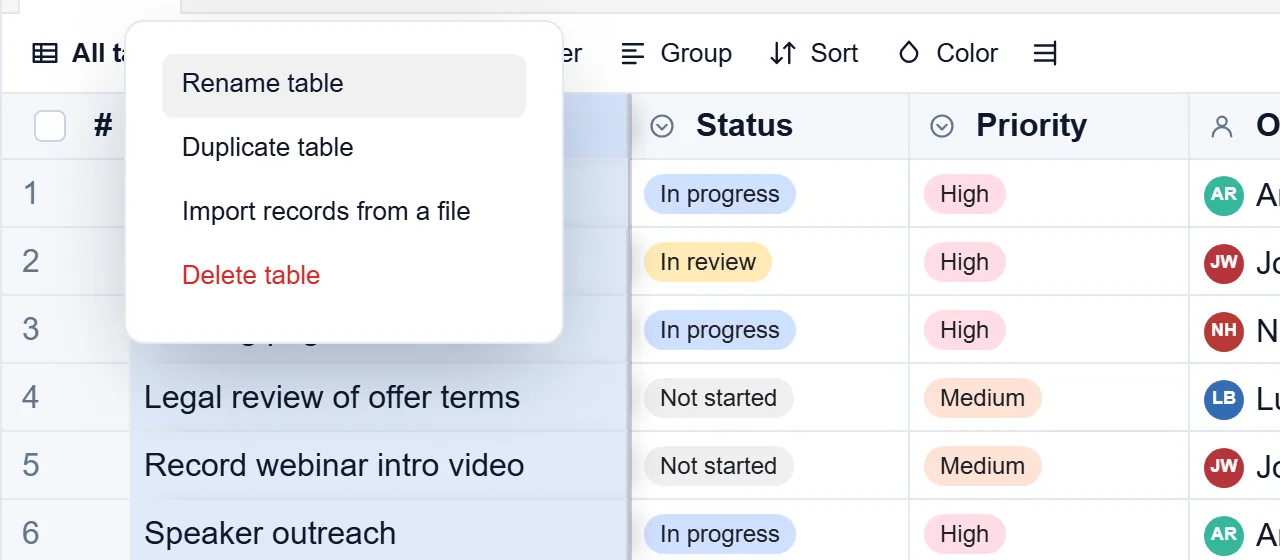
The same menu has Rename table, Duplicate table and Import records from a file. A duplicate copies the fields, views and records (not comments or history), and is not public until you share it.
Restore from the trash
- Open the trash: the bin button at the right end of the table tabs.
- Choose All, Records, Fields, Views or Tables, or type in Find in trash.
- Press Restore on the item.
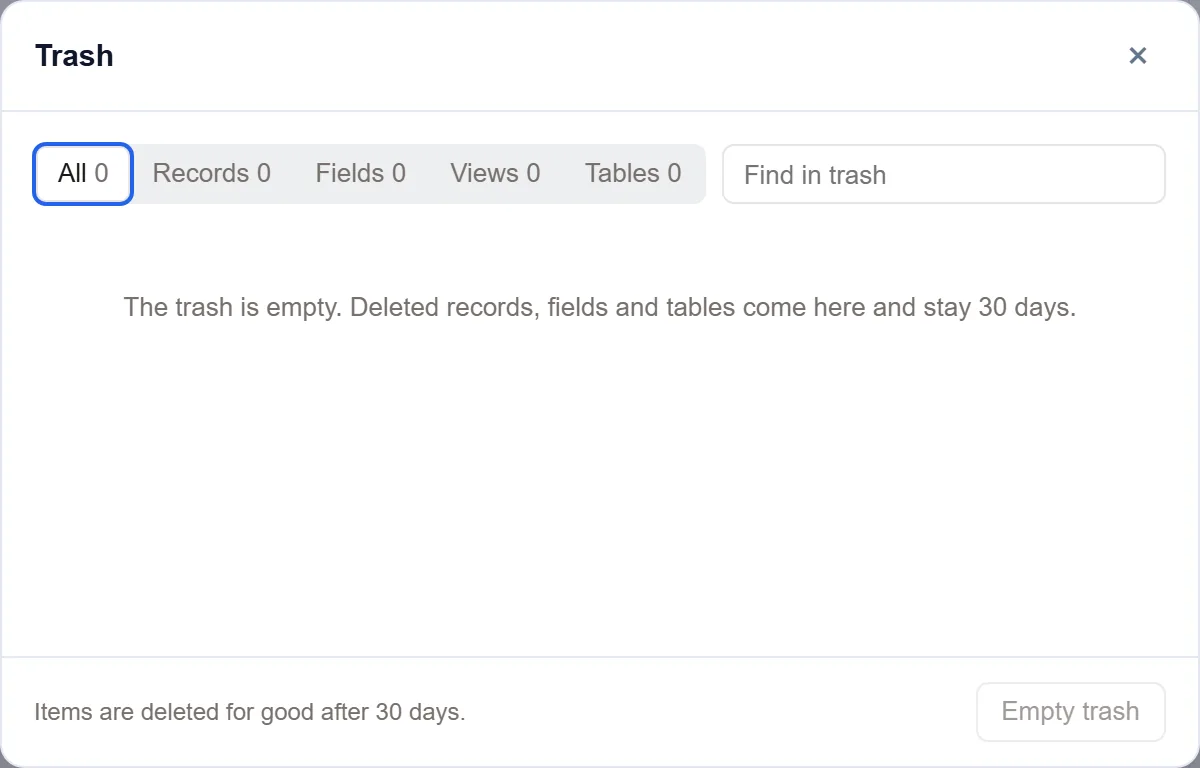
Each item shows what it was, when it was deleted and by whom. A restored table comes back with its records and views, and fields in other tables that linked to it come back with it.
Delete for good
- Items are deleted for good after 30 days.
- Delete forever deletes one item now, and Empty trash deletes everything in it. Both ask first and cannot be undone.
Delete a whole base
- Open Settings at the top of the base and choose Remove.
- Choose the base.
- Type the base's name, or
remove, to confirm.
A deleted base does not go to the trash and cannot be undone. Export it first if you might need it.
Good to know
- Only the base's owners delete, duplicate and restore tables, and restore fields and views. Records are restored by people who may delete records.
- A base keeps at least one table, so the last table cannot be deleted.
- While a table is in the trash, fields in other tables that link to it are hidden. A link to a record in the trash stays empty until the record is restored.
- Delete a table from its tab, as above, so it goes to the trash.
- On a phone, the table's menu opens from the bottom of the screen.
- For a copy that outlives the trash, set up scheduled backups.