Sync a table from Google Sheets
Updated
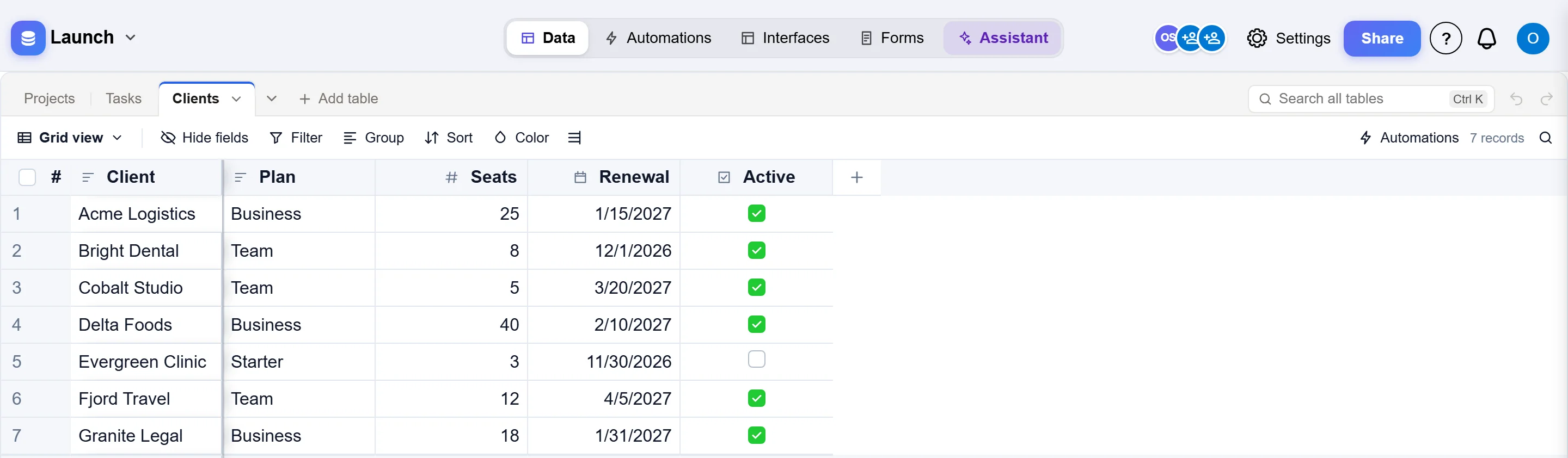
A synced table follows a tab of a Google Sheet. The people who keep the sheet go on working in Google Sheets, and the base has the same rows as a table: to link to from your other tables, to show in a view, a form or an interface, and to start automations from. Every hour Artavolo reads the sheet again and brings the table in line with it.
1. Share the sheet
- In Google Sheets, open the tab you want to sync.
- Click Share. Under General access choose Anyone with the link, with the role Viewer, and click Done.
- Copy the address from your browser's address bar. It ends with
#gid=and a number, which names the tab. A link without it syncs the first tab.
2. Sync it into the base
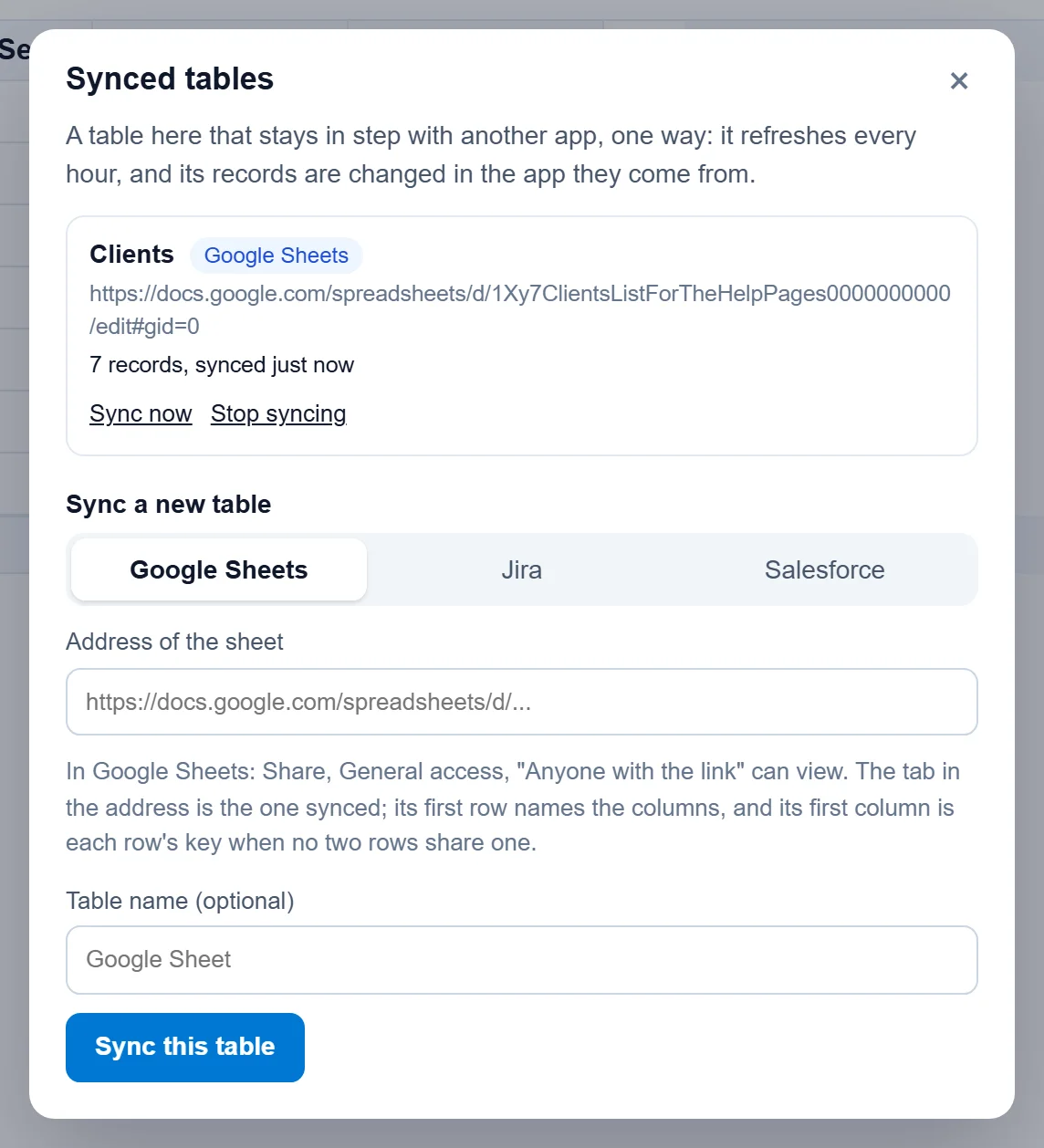
- Open the base, click its name at the top left and choose Synced tables. Only the owners of a base see it.
- Pick Google Sheets, paste the sheet's address and, if you like, type a name for the table.
- Click Sync this table. The base opens again with the new table among its tables.
How the sheet becomes a table
- The first row names the fields. Each column becomes a field with the column's name.
- Field types are worked out from what the column holds: numbers (with as many decimals as the sheet shows), dates written as
2026-11-30,TRUEandFALSEas a checkbox, long text, and text for the rest. - When the first column names every row once, such as a client's name or an order number, it is each record's key: a row keeps its record when rows are sorted or added above it. Otherwise each row is matched by its place in the sheet, so put a column of unique names or numbers first.
- Up to 20,000 rows. Empty rows are left out.
Keeping in step
- Every hour the table is brought in line with the sheet: new rows are added, changed ones updated, and rows deleted from the sheet go to the table's trash. Synced tables, Sync now does it straight away.
- A column added to the sheet later becomes a new field. A column removed from it stays as a field with the last values it had; delete the field if you do not need it.
- The synced table is read only in Artavolo, so nothing typed here is overwritten by the next sync. Change the rows in Google Sheets.
- Stop syncing keeps the table and its records as they are, and makes it an ordinary table you change in Artavolo.
- If a sync fails, for example because the sheet is no longer shared, Synced tables says why next to the table, and the table keeps the records it had.
Good to know
- "Anyone with the link" means exactly that: anyone who has the sheet's address can read it. Do not sync a sheet with personal or confidential data this way; import it once instead (Move from Excel or Access) or keep the data in Artavolo.
- Dates written another way, such as
30/11/2026, come over as text. Format the column asyyyy-mm-ddin Google Sheets (Format, Number, Custom date and time) to get a date field. - Formulas in the sheet come over as the values Google Sheets shows.