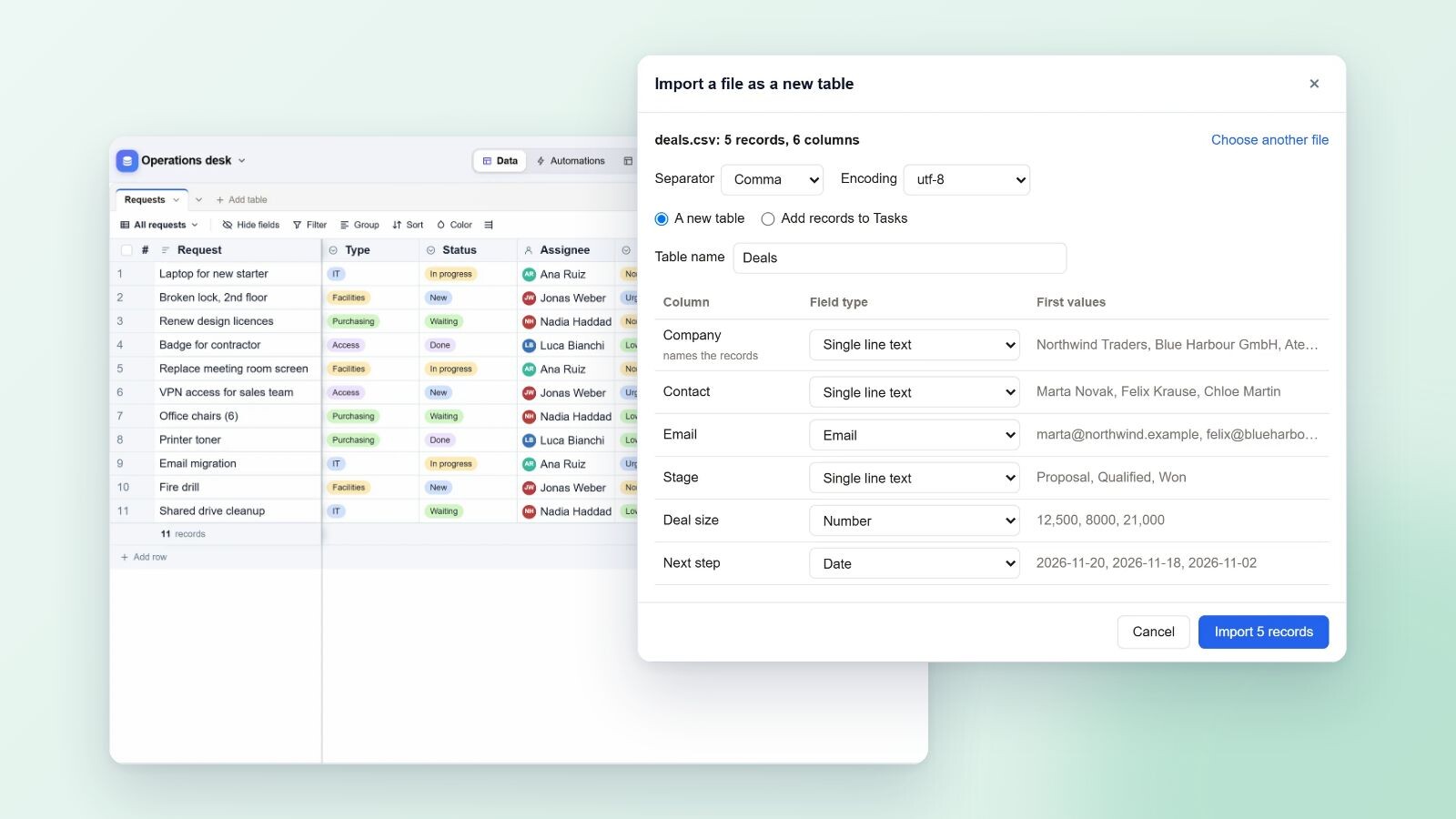
Artavolo now imports Excel workbooks of every version back to Excel 2.0, Access databases from Access 97 to 2019, and the exports of monday.com, Asana, Trello, Jira, Baserow, SeaTable, Notion, Smartsheet, ClickUp, NocoDB, Grist and Teable. Each import becomes a base with linked tables, typed fields and, for Excel, working formulas, and ends with a report of what came over and what to rebuild. The files are read in your browser; only the tables you make are sent to the server.
Where to start
On Home, choose Import a spreadsheet under "Start building". The import dialog has a tab for each kind of source: A file, Paste, Excel, Access, Other apps and Airtable. If you pick an Excel or Access file under "A file", the dialog moves to the right tab for you. You see the fields with the types found and the first records before anything is made, then Make the base.
Inside an existing base, Import a file as a table in the list of tables, and Import records from a file in a table's menu, read the same formats: CSV, TSV, JSON and every Excel file.
Excel, from 2.0 to today
Every Excel format is read: .xls of every version, .xlsx, .xlsm, .xlsb, the 2003 XML format, OpenDocument .ods and CSV. Each worksheet becomes a table, and the importer does the tidying a person would do by hand:
- the header row is found even under title rows, merged cells are filled down, and a totals row is left out;
- types come from the values and the number formats: currency with its symbol, percentages, dates in the workbook's style, checkboxes, e-mail addresses, links, and a status column as a single select;
- a formula repeated down a column becomes a formula field written with field names, such as
{Qty}*{Unit price}; - a column that names another worksheet's rows becomes a link, and a VLOOKUP through it becomes a lookup.
As with the Airtable import, every formula and lookup is then checked against the results saved in the file, record by record. A formula Artavolo cannot work out comes over as its values, and the report says so. You never get a column of errors.
Access, from 97 to 2019
Access databases (.mdb and .accdb, including password-protected ones) come over table by table, typed from Access's own types: AutoNumber, Currency, Yes/No, Date/Time, Memo, Hyperlink and rich text. Relationships become links, and records that point at nothing are counted in the report. Attachment fields bring their files. Queries, forms, reports, macros and modules cannot be carried over automatically, so the report lists them for you to rebuild as views, forms, interfaces and automations.
monday.com, Asana, Trello, Jira and others
For other apps, export each board, project or table from the app (CSV or Excel; Trello as JSON) and bring the files in together on the Other apps tab. Several files become one base with a table per file, named after it, and the importer understands how these exports are shaped:
- tables that name each other's records are linked, including a cell that names several ("Acme, Globex");
- a monday.com board export, which repeats its header for every group, keeps only the items, and the group names become a Group select field;
- columns with the same name become one field, as in Jira's repeated Labels or Comment columns;
- tags in one cell become a multiple select, and columns named Status, Priority, Stage or Section become selects even in a short file;
- dates written as text are read, including Jira's "15/Nov/26 10:30 AM" and both day-first and month-first styles, worked out per column.
A Trello board's JSON becomes a table with each card's list in the board's order, description, labels with their colours, members, start and due dates, done, checklists, comments, attachments by name and link, custom fields, archived state, last activity and a link back to the card. The report names the app the files came from.
The direct connections to Google Sheets, Trello, GitHub and ChatGPT that older versions offered have been replaced by this route: download a CSV, Excel or JSON file from the tool and bring it in.
Comparison and moving guides
For each of these tools there are two pages on the site. /compare sets the tool beside Artavolo: price, what a team of ten pays, record limits, where data lives, self-hosting, export and API, and where the other tool is ahead. /migrate explains how to export from it, what comes over, what to rebuild, and how to get help for a fixed price. Both draw on the tools' own pricing and help pages as read in November 2026.
Who this is for
Teams that have outgrown a shared workbook, offices still running an Access database that only one person understands, and teams leaving a project tool because of price, record limits or where their data is kept. If a database is large or unusual, Get help finishing it on the report puts you in touch with us.
Part 6 of 7 in the series "Artavolo in November 2026". The other parts:
- Part 1: Moving from Airtable to Artavolo without losing anything
- Part 2: AI agents and people on the same tables, with review and undo
- Part 3: Interfaces, forms and QR codes: simple apps on a base
- Part 4: Automations that run on the server, plus Zapier, Make and n8n
- Part 5: Artavolo on your phone: the app, photos, barcode scans and notifications
- Part 7: The new base screen and Home
Every part is on the blog, and the full list of changes is on What's new. For this part, read moving from Excel or Access, moving from other apps, importing data and exporting your data.