Comment on records and mention people
Updated
Every record has its own conversation. Leave a comment on it, type @ to bring a colleague in, and read its history: who changed which field, from what to what, and when. No more e-mails asking "which one do you mean?".
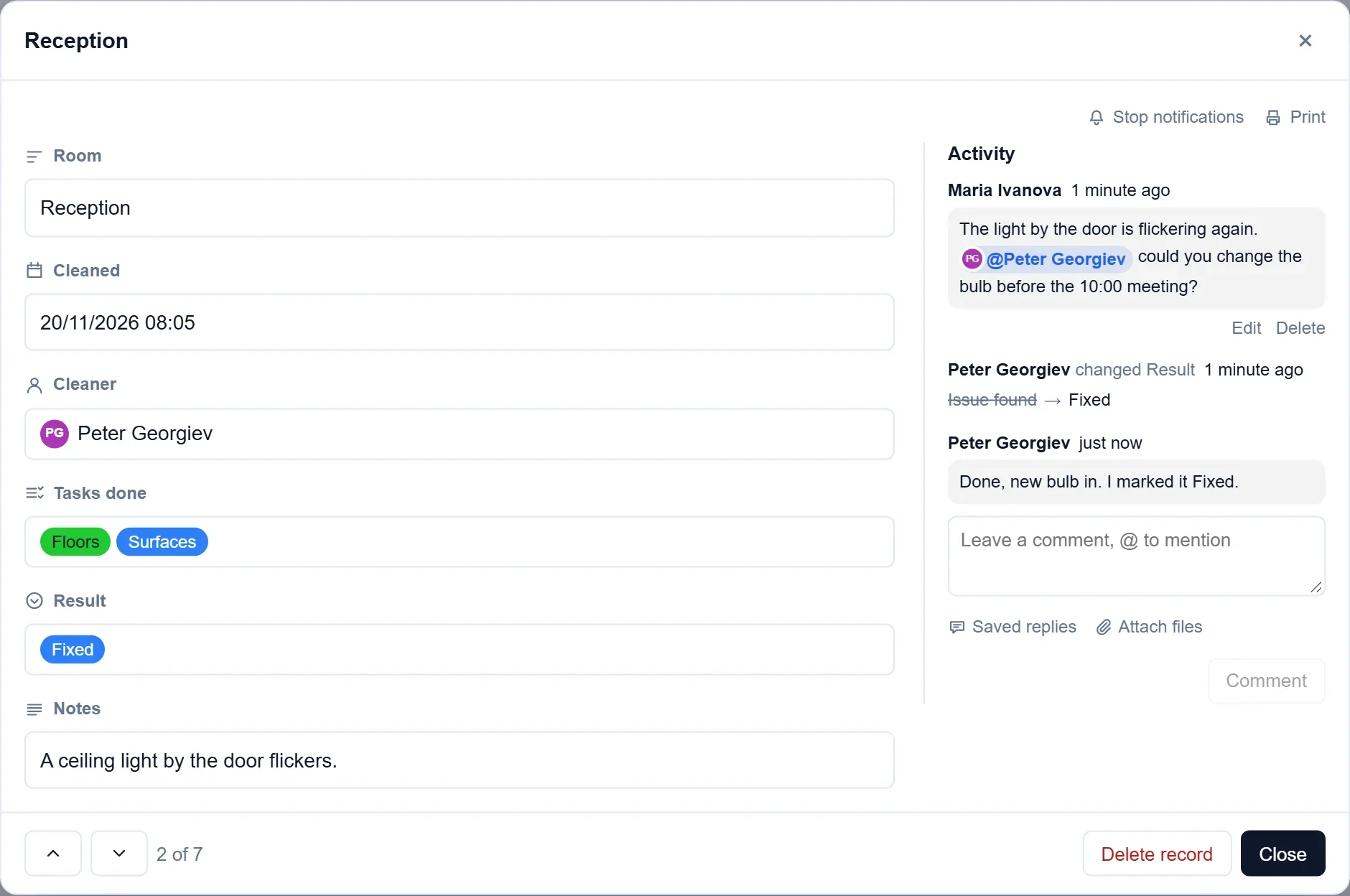
Open a record
In a grid, point at the row's number and click the button that appears beside it. A record with comments shows a speech bubble with how many there are. On a board or in a gallery, click the card. On a phone, tap the record's number.
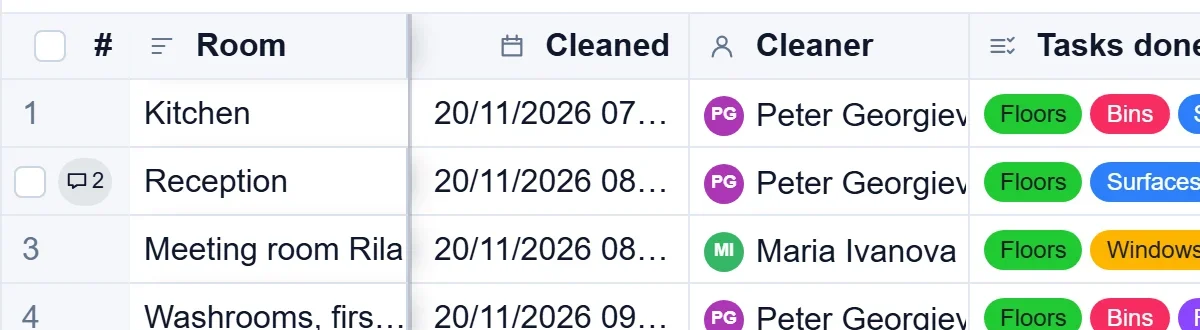
Leave a comment
- In Activity on the right, click the box that says Leave a comment, @ to mention.
- Type your comment.
- Click Comment.
Your own comments have Edit and Delete under them. A changed comment is marked (edited). Attach files, under the box, sends files with the comment.
Mention a colleague
- In the comment box, type @ and the first letters of their name.
- Pick them from the list.
- Finish your comment and click Comment.
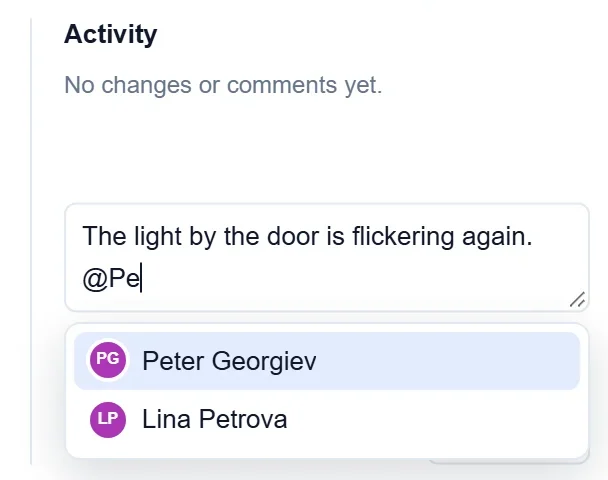
They get a notification in the bell, and on their phone or computer if they have turned that on. Clicking it opens the record. If they have not seen it 10 minutes later, they also get an e-mail with the comment and a link to the record.
Follow a record
You follow a record once you comment on it, are mentioned in it, or are named in one of its person fields. Everyone who follows a record hears of each new comment in the bell. At the top of an open record, Stop notifications stops them for you, and Notify me turns them on again.
See what changed
Activity shows comments and changes together, newest last. Each change names who made it, the field, and the value before and after. A change made by an automation names the automation, and one made through an AI app names the app.
For the whole base, owners have Activity in the base's Settings: every change across the base, with a filter and an export. See Audit log.
Undo a change
Press Ctrl+Z, or click the undo arrow at the top right of the table, to take back your last change. Ctrl+Shift+Z, or the redo arrow, does it again.
Undo works on edited cells, added records and deleted records (deleted records wait in the trash). If someone else has changed or deleted the record since, undo says so instead of overwriting their work.
Good to know
- Commenting needs the right to change records in the table, unless the base's owners choose Read-only members too under Who can comment? (Share, Base / Group, Permissions). Read-only members stay free either way. An interface page can allow comments for the people it is shared with.
- Only its author can edit a comment. Its author or an owner of the base can delete it.
- Only members of the base can be mentioned, and only those who may see the record are notified. Editing a comment notifies only the people it newly mentions. You are never notified of your own comments.
- Each person can turn the mention e-mails off in My Account with E-mail me when someone mentions me.
- Saved replies, under the comment box, puts in a reply you use often.
- In a base with a client portal, tick Internal note to keep a comment for your team: the portal's clients never see it and are never e-mailed about it.
- A comment can be up to 10,000 characters, and a record keeps up to 1,000 comments. A record's history shows its last 200 changes.
- Adding, editing and deleting comments are kept in the audit log too. Comments come across when you bring a base from Airtable.