Repeat a record on a schedule
Updated
Some work comes back again and again: the VAT return every month, a stock check every Monday, a lift service every quarter. Set the record up once, and Artavolo adds a fresh copy of it on the days you choose, so nobody has to remember to.
Step 1: Open the record
- Open your base and the table, for example Monthly close.
- Open the record: click a card on a board, or the expand arrow at the start of a row.
- At the top right of the record, click Repeat....

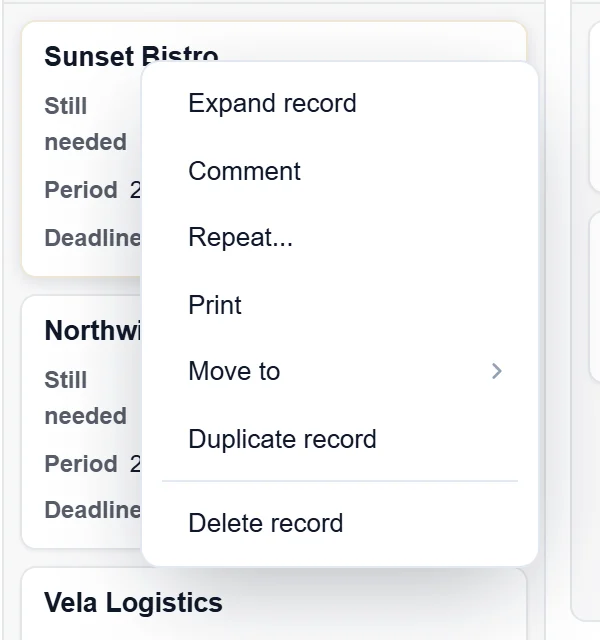
You can also right-click a row or a card and choose Repeat... there.
Step 2: Choose when it comes back
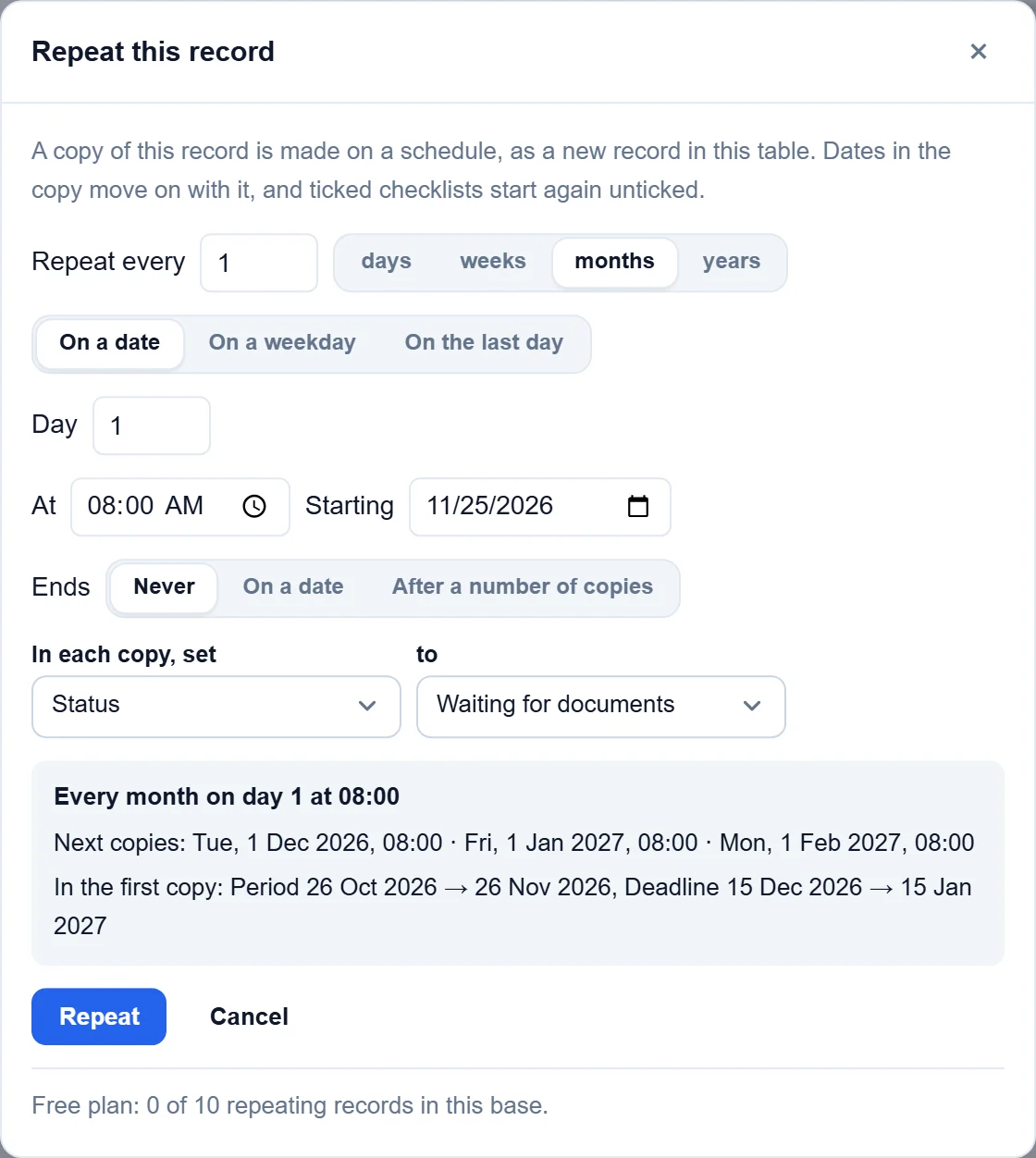
- Repeat every: a number, then days, weeks, months or years. For every other week, type 2 and click weeks.
- With weeks, click the days the copy should come, for example Mon and Thu.
- With months, choose On a date (a day from 1 to 31; in a shorter month the 31st becomes its last day), On a weekday (for example the second Tuesday, or the last Friday) or On the last day. For every quarter, type 3 and choose months.
- At: the time of day, in your own time zone. Starting: the first day a copy may come.
- Ends: Never, On a date, or After a number of copies.
Step 3: Check the dates and save
The grey box shows the next three copies, and how the dates in the first copy move. When they look right, click Repeat.
The record now says how it repeats, for example Repeats: every month on day 1 at 08:00. Click it to change the schedule, or to Stop repeating. Copies already made stay.

What each copy gets
- Every field the record has on the day the copy is made: text, choices, people, files and links to other records.
- Dates move on with the schedule. In a monthly repeat, the first copy's dates are a month later than the record's, the next copy's two months, and so on. A weekly repeat moves them by whole weeks.
- Checklists come back with every item unticked.
- Formulas, counts and lookups work themselves out again. Comments, votes and timers start empty.
- In each copy, set changes one choice field in every copy, for example Status to Waiting for documents, so each copy starts in the first column of your board.
Good to know
- Artavolo's server makes the copies, even when nobody has the base open. Each copy's history says Repeat of and the record's name.
- If the server was down on a day a copy was due, it makes one copy when it is back, not one for every day it missed.
- The copy is made as the person who set the repeat up. If they can no longer add records to the table, no copy is made, and the record says why.
- Deleting the record stops its repeat.
- Every repeating record of the base is listed at the bottom of the Repeat... window, under Repeating records in this base, each with Stop.
- Only people who can add records to the table can set or stop a repeat.
- The Free plan repeats up to 10 records in each base. Paid plans have no limit.
- A copy of a client does not take records that can belong to one client only, such as that client's monthly closes: they stay with the client.
Need a new record for every client at once, such as a month's close for each? Make an automation in the Clients table: At a scheduled time, Only for records where Status is Active, then Create a record in Monthly close. It runs once for each active client. The Accounting firm template comes with one, On the 1st, start each active client's month. See Automate routine work.