Roles and permissions: who sees what
Updated
Everyone in a base has a role, and the base's owners can narrow it: who may add, change and delete records, who sees each table, and which records each person sees. For example, a salesperson sees only their own deals, and a client only their own requests.
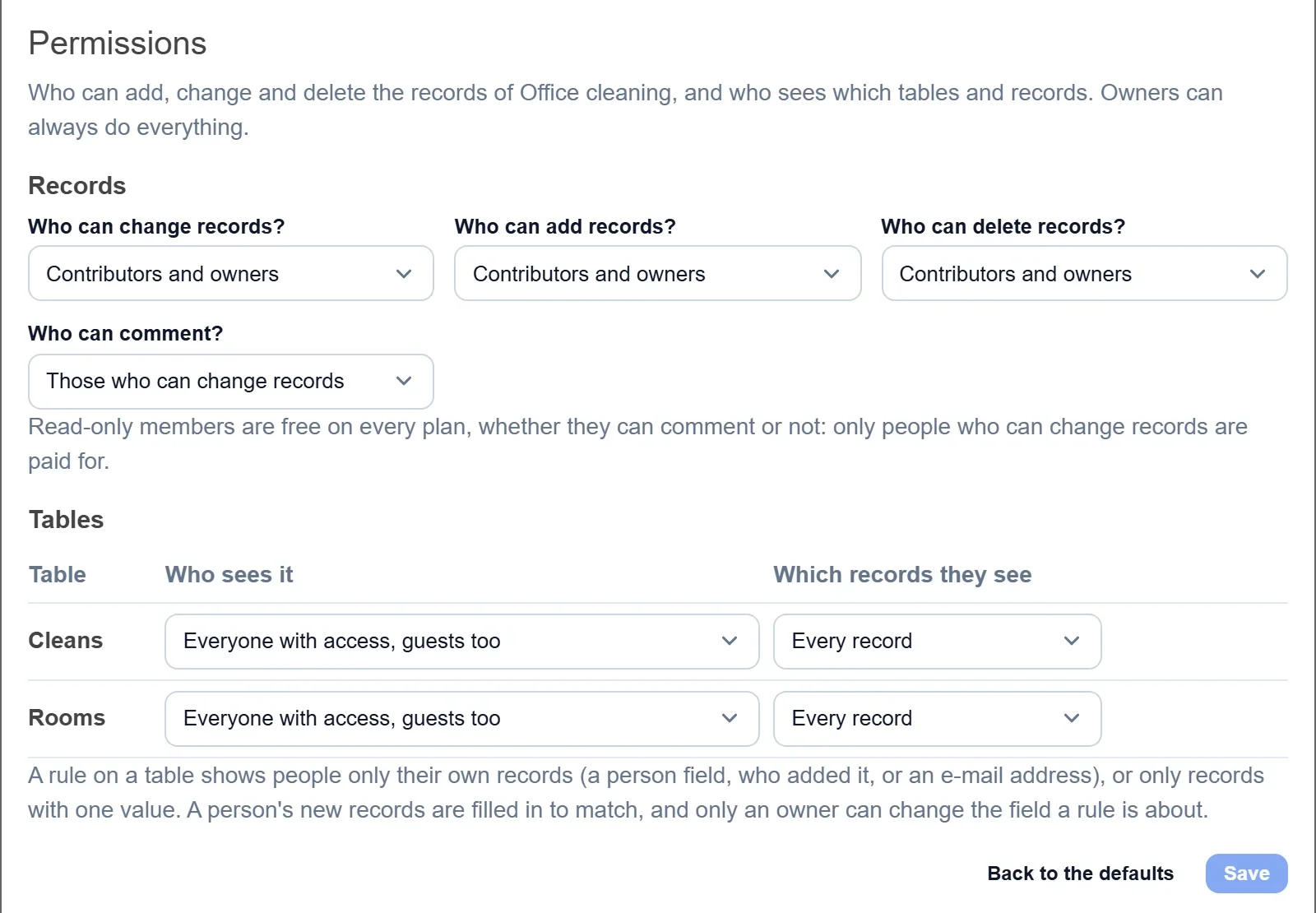
Artavolo checks these rules on the server for every request, so they hold everywhere: on the screen, in the API, in AI chat and for AI agents, in attached files and in the trash.
The roles
| Role | What they may do |
|---|---|
| Owner | Everything, always: every table and record, sharing, settings, automations, forms, files and the permissions below. |
| Contributor | Adds, changes and deletes records, comments and writes notes, unless you narrow it below. |
| Read only (free) | Sees the tables and records allowed to them and opens interfaces. Changes nothing. |
| Guest | Looks at a base opened with Guest Access, without an account: only the tables set to be seen by guests. |
People in a workspace have their workspace role in each of its bases. People invited to an interface alone are Editor, Commenter or Read only there, and see nothing else of the base: see Build an interface.
Decide who may add, change and delete
- Open the base, click Share and choose Base / Group.
- Scroll down to Permissions.
- Under Records, answer Who can change records?, Who can add records? and Who can delete records?. Choose Contributors and owners, Owners only, Specific people (then pick them) or Nobody.
- Under Tables, choose Who sees it for each table: Everyone with access, guests too, Members, read-only and up, Contributors and owners or Owners only.
- Click Save.
Show people only their own records
Next to each table, Which records they see can hold a rule:
- Choose Only where and a field: Created by (who added the record), a person field such as Cleaner, or a text field such as an e-mail address.
- Choose is them to show each person the records that name them, or is and a value to show only records with that value.
- Choose whether the rule is for everyone but owners or for read-only members only.
- Click Save.
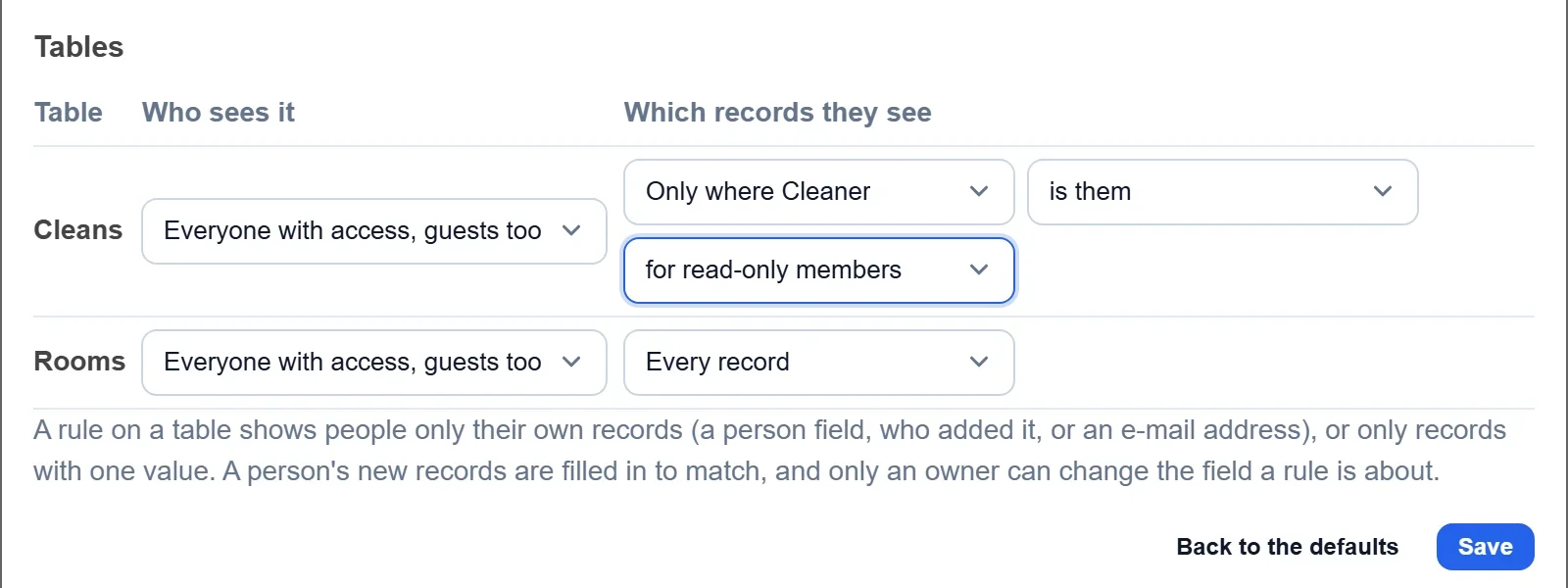
Now each cleaner sees only the cleans with their own name in Cleaner. New records they add are filled in to match the rule.
Good to know
- Only owners see and change the permissions. Owners always see every record, as do the administrators of a self-hosted installation.
- Who may add records is never wider than who may change them: the window offers only what fits.
- Back to the defaults returns to contributors adding, changing and deleting records, and everyone with access seeing every table and record.
- Who can comment? is Those who can change records unless you choose Read-only members too. Read-only members stay free either way.
- With a rule on a table, only an owner can change the field the rule is about, and a person limited by it cannot empty the table. They see changes made by others when they next open the table, not live.
- Guests are nobody in particular, so an is them rule shows them nothing.
- An API token acts as the person it belongs to, with the same rules. AI agents are members with a role of their own and follow the same rules.
- A field's own settings have Who can edit its values, which makes the field read only on the table for everyone not chosen.
- Every change to the permissions is kept in the audit log.